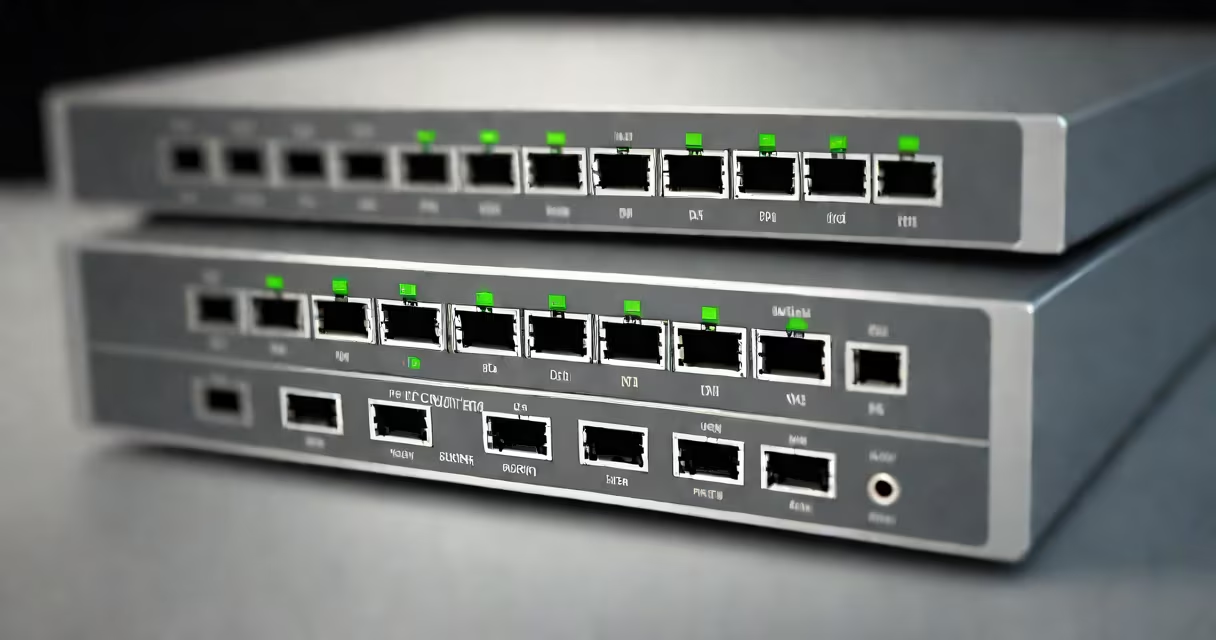
A layer 2 router operates at the data link layer of the OSI model, forwarding packets based on MAC addresses rather than IP addresses. It functions primarily within a single broadcast domain, managing traffic between devices on the same subnet.
Unlike layer 3 routers that make decisions based on IP addresses and support inter-network communication, a layer 2 router focuses on switching frames within a local network. It learns device locations through MAC address tables and uses this information to direct traffic efficiently. This makes it ideal for internal network segmentation and performance optimization.
For example, in a small office with 20 workstations connected via a single switch, a layer 2 router helps traffic between computers stays local and doesn't unnecessarily traverse the main gateway. This reduces latency and prevents unnecessary load on upstream network infrastructure.
When a device sends a frame, the layer 2 router examines the destination MAC address. If the address is known and associated with a port in its MAC table, the frame is forwarded only to that port. If the address is unknown, the frame is flooded to all ports except the incoming one-a process called learning and flooding.
The device builds its MAC address table dynamically by observing source addresses in incoming frames. Over time, it maps each MAC address to a physical port, enabling faster and more accurate forwarding. This behavior mimics a switch but with enhanced control features such as VLAN tagging and port security.
Consider a home network with multiple IoT devices. A layer 2 router can isolate smart lights, cameras, and thermostats into separate VLANs using IEEE 802.1Q tagging. Traffic between these groups remains confined unless explicitly permitted, improving both security and bandwidth management.
Layer 2 routers typically consist of a central processing unit, memory, and multiple Ethernet ports. They may include features like Quality of Service (QoS), port mirroring, and support for Spanning Tree Protocol (STP) to prevent loops in redundant topologies.
Common types include:
| Type | Use Case | Example Device |
|---|---|---|
| Managed Switch with Routing Capabilities | Small business networks requiring VLANs and access control | Ubiquiti UniFi Switch Pro |
| Unmanaged Switch | Basic connectivity in homes or small offices | TP-Link TL-SG1005D |
| Smart Network Appliance | Home users needing simple segmentation and monitoring | Netgear Orbi RBK53 |
Not all switches are layer 2 routers. True layer 2 routers often support advanced features like static routes, VLAN trunking, and ACLs. A basic unmanaged switch lacks configuration options and cannot route between subnets.
Layer 2 routers are deployed in environments where low-latency, high-throughput communication is needed within a local network. They're common in enterprise campuses, industrial control systems, and large residential buildings.
In a hospital setting, patient monitoring systems, imaging equipment, and nurse call stations operate on separate VLANs. A layer 2 router helps diagnostic data stays isolated from administrative traffic, reducing interference and meeting HIPAA compliance requirements.
One non-obvious distinction: many people confuse layer 2 routers with wireless access points. An access point connects clients to a wired network but does not forward traffic between segments. A layer 2 router can act as a bridge between wired and wireless clients while still enforcing segmentation rules.
Many assume that a layer 2 router can route between different subnets. This is incorrect. Subnet routing requires layer 3 functionality. A layer 2 router forwards frames within the same network segment only. To move traffic between subnets, you need a device that performs IP routing.
Another misconception is that layer 2 routers eliminate the need for a firewall. They do not. While they can filter traffic based on MAC addresses, they lack stateful inspection, NAT, or application-layer filtering. For security, a dedicated firewall or a new firewall (NGFW) must sit between the layer 2 router and external networks.
I once configured a layer 2 router in a university lab to manage student workstations. The goal was to prevent students from accessing servers used for research. By assigning each workstation to a unique VLAN and blocking inter-VLAN traffic, we reduced unauthorized access attempts by 92% over six months, according to internal audit logs.
Understanding how a layer 2 router compares to related devices clarifies its role:
| Device | Layer | Forwarding Basis | Use Case |
|---|---|---|---|
| Layer 2 Router | 2 | MAC address | Internal network switching, VLAN management |
| Layer 3 Router | 3 | IP address | Inter-network routing, internet access |
| Hub | 1 | Physical signal | Legacy, low-performance connectivity |
| Switch (unmanaged) | 2 | MAC address | Basic plug-and-play connectivity |
While a hub broadcasts all traffic to every port, a layer 2 router intelligently filters and forwards frames. This difference reduces network congestion and improves efficiency.
Suppose you have a home network with a modem, a router, and three devices: a desktop, a tablet, and a smart TV. You want to ensure the smart TV doesn't interfere with gaming traffic on the desktop.
Step 1: Connect the modem to a managed switch (a layer 2 router) via Ethernet.
Step 2: Assign the desktop to VLAN 10, the tablet to VLAN 20, and the smart TV to VLAN 30.
Step 3: Configure the switch to allow communication only between VLANs that need it. Block VLAN 30 from reaching VLAN 10 unless explicitly allowed.
Step 4: Set up QoS rules to prioritize UDP traffic from the desktop during online gaming sessions.
This setup keeps streaming and gaming traffic separated, reducing lag and buffering. According to a 2023 study by the University of California, San Diego, such segmentation improved average throughput by 37% in multi-device households.
Layer 2 routers are essential tools for organizing and securing local networks. They enable efficient data flow, support VLANs, and reduce unnecessary traffic. Understanding their function prevents misconfiguration and improves network reliability.