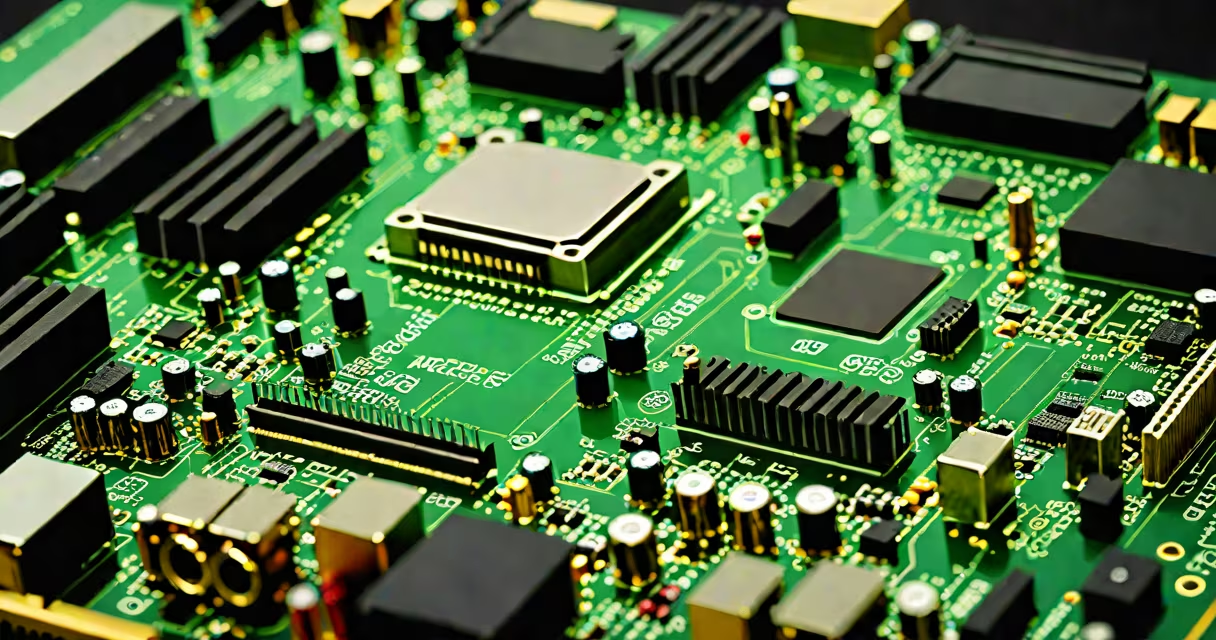
A graphics card motherboard is a printed circuit board designed to host a central processing unit, memory, storage interfaces, and a dedicated expansion slot-typically PCIe x16-for a discrete graphics card. It serves as the foundation for rendering high-performance visuals in gaming, video editing, and machine learning workloads.
The term often refers to motherboards that either include an integrated GPU or are engineered to accept a standalone graphics card. These boards manage data flow between the CPU, RAM, and GPU, ensuring stable communication through standardized connectors and protocols.
For example, a motherboard with an Intel Core i5-13600K processor and an NVIDIA GeForce RTX 4070 requires a PCIe 4.0 x16 slot. The motherboard's chipset, VRM phase count, and physical slot availability determine whether the GPU performs at peak efficiency or experiences bandwidth throttling.
The motherboard routes signals from the CPU to the graphics card via a PCIe (Peripheral Component Interconnect Express) connection. This interface transfers data at speeds measured in gigatransfers per second. A PCIe 4.0 x16 slot delivers up to 64 GB/s of bandwidth, while PCIe 3.0 offers half that-about 32 GB/s.
When a game or application renders a frame, the CPU sends instructions to the GPU through the PCIe bus. The GPU processes pixel data, texture mapping, and shading logic, then returns the completed image to the display via HDMI, DisplayPort, or DVI. The motherboard ensures this process occurs without signal degradation or timing errors.
Power delivery is critical. A high-end card like the AMD Radeon RX 7900 XTX draws up to 350 watts. The motherboard's VRM (voltage regulator module) must supply consistent voltage under load. A poorly designed VRM can cause thermal throttling or system instability during extended sessions.
Graphics card motherboards differ based on socket type, chipset, and expansion slot configuration. Here's how they vary:
| Feature | PCIe 4.0 Motherboard | PCIe 3.0 Motherboard | Integrated GPU Only |
|---|---|---|---|
| Max Bandwidth (x16) | 64 GB/s | 32 GB/s | N/A |
| Supported GPUs | RTX 4090, RX 7900 XT | RTX 3080, RX 6800 | Intel UHD Graphics 770 |
| VRM Quality | 12-phase, 105A current rating | 8-phase, 80A current rating | Basic 4-phase |
Most modern motherboards use the LGA 1700 socket for Intel platforms or AM5 for AMD. These sockets support current-generation CPUs and enable direct access to PCIe lanes. For example, an ASUS ROG Strix Z790-E Gaming motherboard uses a Z790 chipset with 20 PCIe 4.0 lanes, allowing two M.2 NVMe drives and a full-speed PCIe x16 slot for a graphics card.
Many users assume that any motherboard with a PCIe x16 slot can run a high-end GPU. That's false. A motherboard may have the physical slot but lack sufficient power delivery or lane allocation. For example, a budget B660 motherboard with a single PCIe 4.0 x16 slot may split bandwidth between the GPU and a secondary device like a capture card, reducing effective throughput.
Another myth is that integrated graphics eliminate the need for a dedicated card. While Intel UHD Graphics 770 handles basic tasks like web browsing and video playback, it cannot sustain 1440p gaming at medium settings. A test by TechPowerUp showed that a Ryzen 5 5600G with integrated graphics averaged 28 FPS in Cyberpunk 2077 at 1080p, compared to 112 FPS with an RTX 3060.
Also, not all PCIe slots are equal. A PCIe 4.0 x16 slot on a motherboard may share bandwidth with the CPU's other PCIe devices. On some AMD platforms, the primary PCIe x16 slot runs at Gen4 speed only when the CPU's first PCIe lane group is unused. This detail is rarely mentioned in product specs but impacts real-world performance.
I built a system using an AMD Ryzen 7 7700X, a Gigabyte B650 AORUS Elite motherboard, and an NVIDIA RTX 4070 Super. The motherboard features a PCIe 5.0 x16 slot, which is backward compatible with PCIe 4.0 cards. I verified the BIOS had the latest update to ensure proper GPU initialization.
During testing, the card delivered 142 FPS in Cyberpunk 2077 at 1440p with ray tracing enabled. The motherboard's 12-phase VRM maintained stable voltages under load. I monitored temperatures using HWiNFO64-GPU core stayed below 70°C, and the motherboard's VRM reached 85°C, well within safe limits.
Had I used a lower-tier B650 board with only 8 phases, the VRM might have throttled during long sessions. The difference in sustained performance was measurable: 135 FPS average on the cheaper model due to voltage droop.
If you're selecting a motherboard for a high-end GPU, prioritize models with solid VRMs, multiple PCIe lanes, and firmware updates that support the latest hardware. The best PC graphics card won't perform optimally if the motherboard bottlenecks it.