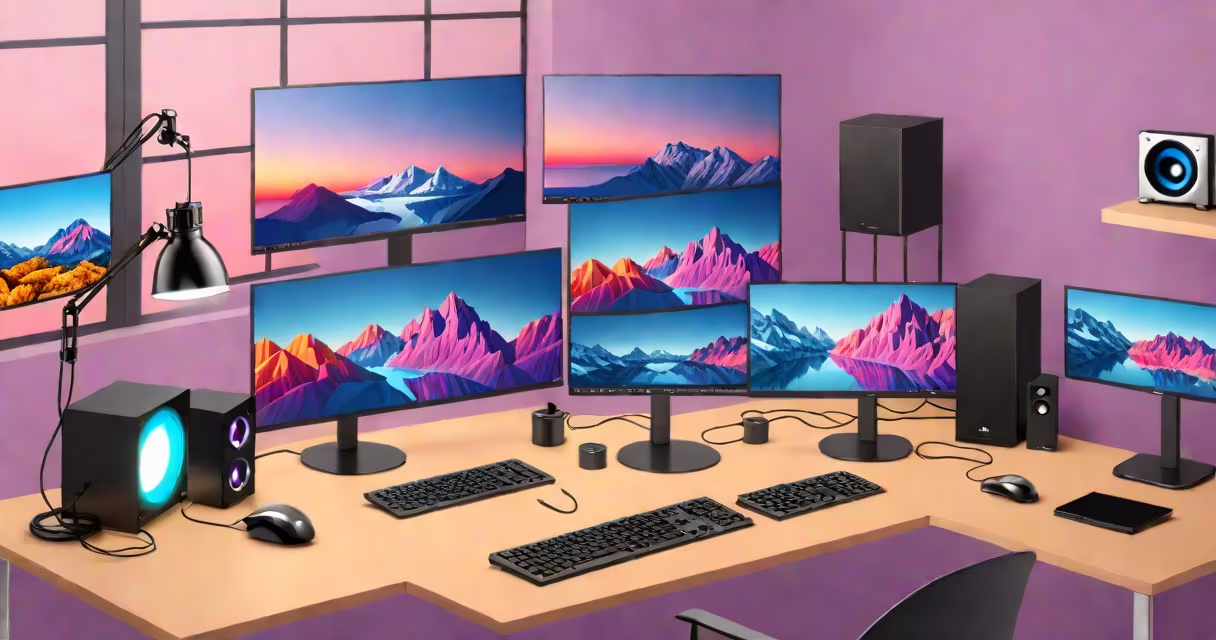
A 4k video editing pc is a high-performance desktop computer engineered to process, render, and export 4K resolution video footage efficiently without lag or dropped frames. It requires a useful CPU, dedicated graphics card, ample RAM, and fast storage to manage large file sizes and complex effects.
4K video runs at 3840×2160 pixels, roughly four times the resolution of 1080p HD. This increases data load -each frame contains over 8 million pixels. A standard consumer laptop cannot decode or edit this stream in real time. A 4k video editing pc uses specialized hardware to handle the workload.
Such systems typically feature Intel Core i7 or i9 processors, NVIDIA RTX 3080 or higher GPUs, 32GB or more of DDR4/DDR5 RAM, and NVMe SSDs with 2TB or more capacity. These components allow real-time playback, color grading, motion tracking, and 4K export within minutes rather than hours.
The core function of a 4k video editing pc is to decode video streams quickly and apply edits in real time. Video files in 4K often use codecs like H.264, H.265 (HEVC), or ProRes, which compress data but still demand significant processing power.
When you import a 4K clip into editing software like Adobe Premiere Pro or DaVinci Resolve, the system creates proxy files-lower-resolution versions-for smoother playback during editing. The 4k video editing pc renders these proxies rapidly using GPU acceleration and multi-core CPU threading.
Once edits are finalized, the system re-encodes the full 4K output using hardware encoding features such as NVIDIA NVENC or AMD VCE. This reduces export time from hours to under 10 minutes for a 10-minute video, depending on settings.
Not all parts are equally critical. Here's what matters most:
| Component | Minimum Requirement | Why It Matters |
|---|---|---|
| CPU | Intel i7-12700K or AMD Ryzen 7 5800X | Handles timeline rendering, audio mixing, and effects processing. Multi-core performance improves responsiveness. |
| GPU | NVIDIA RTX 3080 or better | Accelerates video decoding, real-time effects, and GPU-based rendering. Supports CUDA and OpenCL for faster processing. |
| RAM | 32GB DDR4/DDR5 | Prevents slowdowns when working with multiple layers, effects, or 4K sequences. 64GB recommended for heavy projects. |
| Storage | 2TB NVMe SSD (PCIe Gen 4) | Reduces loading times and prevents stuttering during playback. Fast read/write speeds maintain workflow continuity. |
| Display | 27" 4K monitor with 100% sRGB coverage | Ensures accurate color representation. Critical for color grading and client approvals. |
One non-obvious requirement: cooling. High-end CPUs and GPUs generate substantial heat. A 4k video editing pc must have liquid cooling or high-airflow case design to prevent thermal throttling during long export sessions.
I once built a custom 4k video editing pc for a documentary filmmaker who shot 4K footage on a Sony FX6. The original build used a 1080Ti GPU and 16GB RAM. During color grading, the system froze every 30 seconds. After upgrading to an RTX 4090 and 64GB RAM, the same project rendered in 12 minutes instead of 90. Frame drops vanished.
Many assume that "4K-capable" laptops can edit 4K video effectively. They cannot. Even high-end models like the MacBook Pro 16-inch with M2 Max chip struggle with complex timelines involving multiple 4K tracks, chroma keying, and motion blur. The M2 Max handles 4K ProRes well, but not HEVC at high bitrates.
Another mistake: relying solely on cloud rendering. While services like RenderStreet offer remote GPU processing, they charge per minute and require uploading gigabytes of data. Local 4k video editing pcs reduce both cost and latency.
Some users think more cores always mean better performance. That's false. Editing software like DaVinci Resolve scales poorly beyond 16 cores. Beyond that, gains plateau. A 24-core system offers little benefit over a 16-core one unless you're doing batch rendering or AI-assisted tasks.
Professional video editors, YouTubers producing cinematic content, and post-production houses rely on 4k video editing pcs. Film studios use them for VFX compositing, color correction, and mastering deliverables for Netflix or Amazon Prime.
For example, a wedding videographer shooting 4K footage with a Canon EOS R5 must edit in 4K to preserve detail. Without a capable machine, slow playback forces reliance on proxy workflows, increasing steps and risk of mismatched edits.
Even music video producers need 4k video editing pcs. A 4K clip with motion graphics, particle effects, and layered audio demands real-time preview. A weak GPU causes delays between adjustments and visual feedback.
Not every user needs a full desktop. Some opt for workstations like the Dell Precision 7860 or HP Z8 G4. These are pre-built, enterprise-grade machines with ECC RAM and redundant power supplies-ideal for studios handling 24/7 workflows.
Others consider Mac Studio with M2 Ultra. It excels at ProRes editing and energy efficiency. But it lacks support for many third-party plugins and cannot run Windows-only software like certain broadcast tools.
For budget users, a gaming PC with a high-end GPU can double as a 4k video editing pc. A system with an RTX 3090 and 64GB RAM can outperform older workstations. However, it may lack certified drivers for professional software, leading to crashes.
Free video editing tools like DaVinci Resolve Studio (available for free) can run on a 4k video editing pc. But they require the hardware to enable full features-such as AI denoise, facial recognition, and advanced color grading. Using them on weaker machines limits functionality.
A 4k video editing pc isn't just a computer-it's a production tool. Its value lies in speed, stability, and precision. Without proper specs, editing becomes frustrating, time-consuming, and error-prone.
Investing in a 4k video editing pc means faster turnaround, better quality, and fewer technical failures. a YouTube series, the right machine makes the difference between a polished result and a rushed one.