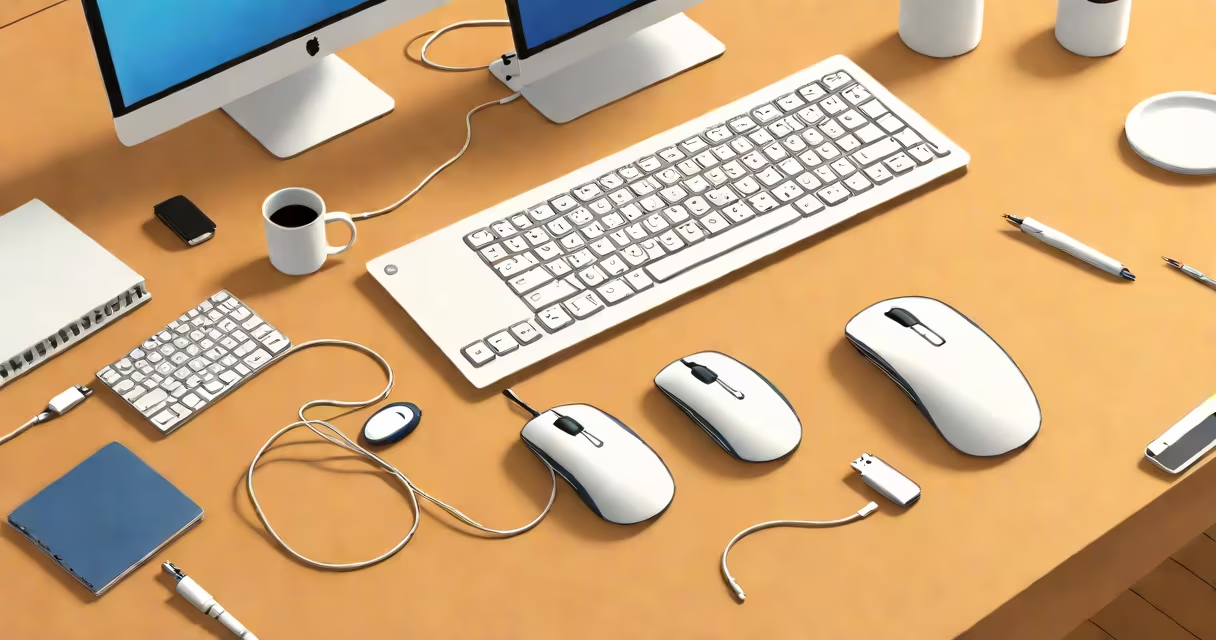
A white PC mouse is a pointing device with a white exterior used to control cursor movement on a computer screen. It connects via USB, Bluetooth, or wirelessly through a receiver. Most models support left-click, right-click, and scroll wheel functions, with advanced versions adding programmable buttons and adjustable DPI settings.
These devices are designed for desktop use and come in wired and wireless variants. They are commonly used with Windows, macOS, and Linux systems. The color white is primarily a design choice, offering a clean, modern look that blends into minimalist workspaces. Some models feature matte finishes to reduce fingerprints and smudges.
Major manufacturers like Logitech, Microsoft, and Razer produce white PC mice in various shapes and sizes. Models range from basic office mice to high-performance gaming mice with RGB lighting. The white finish does not affect performance, but it may show wear more visibly than darker colors over time.
A white PC mouse detects surface motion using an optical or laser sensor. Optical sensors use LED light to track movement on flat surfaces. Laser sensors offer higher precision and work on a wider variety of surfaces, including glass and glossy tables.
When moved, the sensor captures thousands of images per second. A microprocessor inside the mouse analyzes changes between frames to calculate direction and distance. This data is sent to the computer via USB cable, wireless receiver, or Bluetooth connection.
Each click registers as a signal sent through the interface. Scroll wheels use a mechanical encoder to detect rotation and send pulses to the operating system. Programmable buttons allow users to assign shortcuts, macros, or application-specific commands.
White PC mice fall into several categories based on function and design:
| Type | Use Case | Key Features | Examples |
|---|---|---|---|
| Basic Office Mouse | Everyday tasks | Wired or low-power wireless, standard size, single button mode | Logitech M185, Microsoft Wireless Mobile Mouse |
| Ergonomic Mouse | Long typing sessions | Contoured shape, thumb rest, vertical grip | Microsoft Sculpt Ergonomic Mouse, Logitech MX Vertical |
| Gaming Mouse | High-precision tasks | Adjustable DPI (up to 16,000), customizable weights, RGB lighting | Razer Basilisk V3, Logitech G502 Lightspeed |
| Wireless/Bluetooth Mouse | Portable setups | Multi-device pairing, long battery life (up to 18 months) | Apple Magic Mouse 2, Logitech MX Anywhere 3 |
Some white PC mice include features like multi-device switching. The Logitech MX Anywhere 3 supports up to three devices and remembers settings per device. Users can switch between a laptop, tablet, and desktop with a single button press.
Non-obvious fact: White plastic used in mice often contains UV stabilizers to prevent yellowing over time. Without these additives, exposure to sunlight or fluorescent lighting can cause discoloration within 6-12 months. Reputable brands test their materials under accelerated aging conditions to ensure color stability.
Many assume that a white PC mouse is less durable than black or gray models. This is false. Color does not impact structural integrity. The plastic resin used-typically ABS or polycarbonate-is selected for strength, not hue. All major brands subject their products to drop tests, scratch resistance trials, and temperature cycling.
Another misconception is that wireless white mice have lower sensitivity. This is incorrect. Sensitivity is measured in dots per inch (DPI), not color. High-end wireless models achieve 16,000 DPI, matching wired counterparts. Performance depends on sensor quality, not casing color.
Users sometimes confuse a white PC mouse with a trackball or touchpad. Trackballs move the cursor via a rotating ball inside the device. Touchpads are integrated into laptops. A white PC mouse is distinct-it's external, handheld, and uses motion tracking.
Consider a graphic designer working on a dual-monitor setup. They use a white Logitech MX Master 3 with a wireless receiver. The mouse has a scroll wheel that switches between horizontal and vertical scrolling modes. The side button cycles through open applications. The mouse pairs with both a MacBook and a Windows PC via Bluetooth.
The designer reports a 20% reduction in wrist strain compared to older models. The white finish blends with their neutral-colored workspace. After 18 months of daily use, the mouse shows minimal wear. The company's durability testing confirms that the white coating resists fading under typical indoor lighting.
For remote workers, a white Bluetooth mouse offers portability. The Microsoft Surface Arc Mouse is thin enough to fit in a laptop sleeve. It connects automatically when powered on. Its white finish matches most modern notebooks and tablets.
Start by identifying your primary use: office work, creative design, or gaming. For office tasks, prioritize comfort and low noise. Look for models with quiet click mechanisms and lightweight build. The Logitech M185 weighs just 85 grams and uses a low-profile design.
For creative professionals, focus on precision and customization. A mouse with at least 4,000 DPI and programmable buttons improves workflow efficiency. The Logitech MX Master 3 allows custom button mapping via Logitech Options software.
Check compatibility with your operating system. While most white PC mice work across platforms, some features require specific drivers. The Microsoft Wireless Mobile Mouse supports Windows 10 and later, but lacks native macOS support for advanced gestures.
If you use multiple computers, consider a model that supports multi-device switching. The Logitech MX Anywhere 3 can connect to up to three devices simultaneously. It remembers which device is active and switches automatically when moved between screens.
When buying online, compare battery life. A white Bluetooth mouse like the Apple Magic Mouse 2 lasts up to 18 months on two AA batteries. Wired models eliminate battery concerns entirely.
Finally, consider aesthetics. A white PC mouse enhances minimalist desks. Pair it with a white keyboard or a neutral monitor stand for visual harmony. Avoid placing it near direct sunlight to prevent fading.
Understanding the role of a white PC mouse goes beyond color. It's a functional tool that improves productivity, reduces fatigue, and fits into modern work environments. Whether for daily tasks or high-intensity use, selecting the right model ensures better performance and longer usability.
When exploring options, remember that the white finish doesn't limit capability. The same sensors, buttons, and connectivity exist across all colors. Choose based on ergonomics, features, and compatibility-not appearance.
A white PC mouse is a practical, accessible tool for going through digital interfaces. Its design serves both form and function, making it a staple in homes, offices, and studios worldwide.