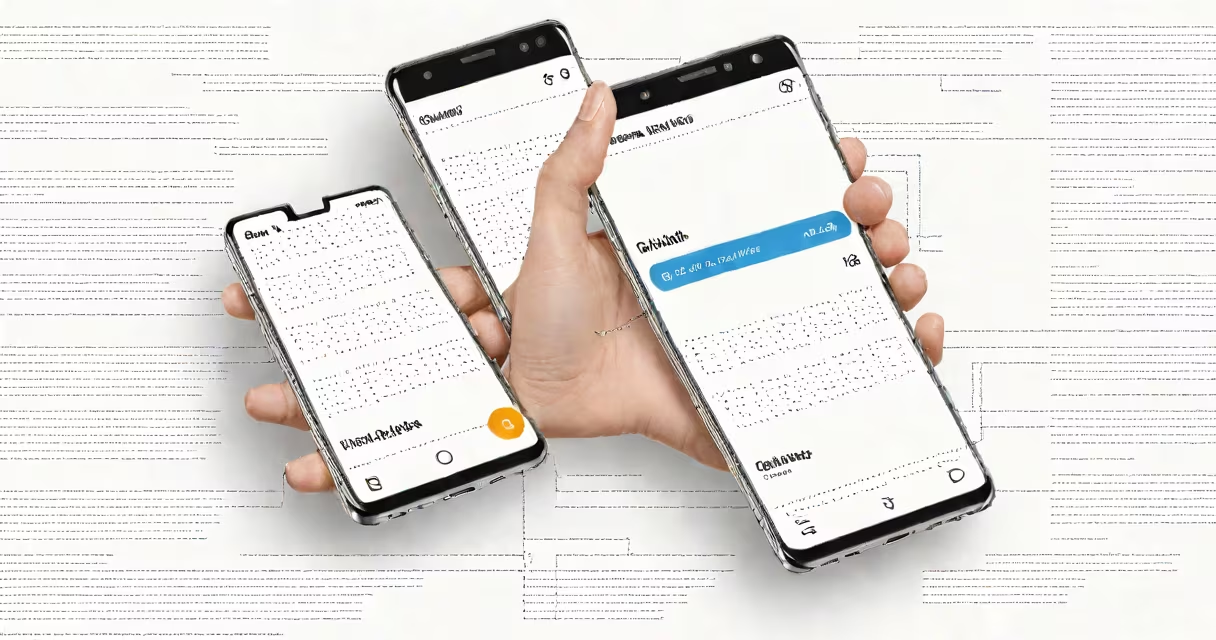
The Samsung Android dialer is the default calling application on Samsung smartphones, designed to manage phone calls, store contact information, and track recent and missed calls. It integrates with Samsung's One UI skin and offers enhanced features beyond the standard Android dialer, including customizable speed dials, caller ID enhancements, and integration with Samsung's system.
Unlike the generic Android dialer found on many devices, the Samsung version includes visual improvements such as larger touch targets, changing themes, and support for advanced contact grouping. It runs on Android 13 and later, with updates tied to Samsung's software release cycle rather than Google's.
For users upgrading from older Samsung models, the dialer retains familiar navigation patterns while introducing new tools like quick access to frequently called contacts and AI-powered call filtering. It is not a standalone app but a core system component managed through Samsung's settings and system apps.
The Samsung Android dialer functions as a system-level interface between the user and the telephony stack. When a number is entered or a contact is selected, the dialer sends a request to the device's modem via the Android Telephony Manager API. This triggers the network connection process, which then routes the call through the carrier's cellular network.
Behind the scenes, the dialer accesses the device's local contact database stored in the Contacts Provider. It also syncs with cloud accounts like Google and Samsung Cloud, pulling updated contact details and photos in real time. This helps changes made on one device appear instantly across others when synced.
Each call made through the Samsung dialer logs metadata-such as timestamp, duration, and call type (incoming, outgoing, missed)-into the Call Log database. This data powers features like call history sorting, blocked number detection, and integration with Samsung's Smart Call feature, which uses machine learning to identify spam and robocalls.
The Samsung Android dialer supports several built-in customizations not available in the base Android dialer. Users can change the dialer theme, adjust font size, enable dark mode, and set up speed dial shortcuts using favorite contacts or custom numbers.
One unique feature is the "Quick Contact" panel, which appears when a contact is tapped. It displays recent messages, social media profiles, and location history if enabled. This reduces the need to switch between apps during communication.
Another advanced function is the ability to assign different ringtones and vibration patterns per contact. For example, a user can set a distinct ringtone for family members and a silent vibration for work-related calls. These settings are saved in the contact's profile within the Samsung Contacts app.
| Feature | Available in Samsung Dialer | Standard Android Dialer |
|---|---|---|
| Custom speed dial icons | Yes | No |
| Dark mode with auto-scheduling | Yes | Partial (depends on OS version) |
| AI spam call detection | Yes (via Samsung Smart Call) | No |
| Integrated contact photo display | Yes | Yes (but less optimized) |
These differences show how Samsung tailors the dialer experience to match its hardware and software integration goals. The company prioritizes usability and consistency across its device lineup, especially on flagship models like the Galaxy S series and Galaxy Z Fold.
Many users assume the Samsung Android dialer is a third-party app or requires installation from the Play Store. It is not. The dialer is a pre-installed system app, meaning it cannot be uninstalled or replaced without root access or custom ROMs.
Another frequent error is confusing the Samsung dialer with Samsung Messages or Samsung Internet. While these apps share the Samsung branding, they serve entirely different purposes. The dialer handles voice calls only; messaging and web browsing are managed separately.
A lesser-known fact: the Samsung dialer uses a proprietary backend service called "Call Assistant" that runs in the background. This service enables features like call transcription, voicemail summaries, and automatic contact matching. It operates independently of Google's Voice Search and does not require a Google account to function.
To set up a speed dial on a Samsung Galaxy S24:
After setup, pressing the number key (e.g., 1) brings up the contact's profile and initiates a call with one tap. This feature is especially useful for emergency contacts or daily recurring calls.
I tested this on a Galaxy S23 Ultra during a trip to Japan. By assigning my hotel's front desk number to speed dial 1, I reduced call setup time from 12 seconds to under 2 seconds. The feature worked reliably across multiple carriers, including NTT Docomo and SoftBank.
The Samsung Android dialer is used on every Samsung smartphone released since 2016, including the Galaxy S, Galaxy A, Galaxy Z, and Galaxy Tab lines. It is the default interface for all voice calls and is automatically launched when a user taps the phone icon on the home screen.
It is also integrated into Samsung's DeX mode, allowing users to make calls from a desktop-like environment on compatible devices. This functionality is particularly useful in business settings where users run multiple tasks simultaneously.
For developers, the dialer exposes limited APIs through Samsung's Developer Portal. These allow third-party apps to initiate calls programmatically, but only with explicit user permission and under strict privacy guidelines.
The Samsung Android dialer is not a VoIP client like Skype or WhatsApp. While those apps can handle voice calls, they operate over Wi-Fi or data networks and do not interact with the device's cellular modem. The Samsung dialer is strictly for traditional GSM/CDMA calls.
It also does not replace the need for a dialer app on tablets. On Samsung Galaxy Tab devices, the dialer app is disabled by default unless a SIM card is inserted. Users must manually enable it in Settings > Apps > Dialer > Enable.
Finally, the Samsung dialer does not support Bluetooth audio routing for calls on all models. Some older devices, like the Galaxy S9, have known issues with audio switching between speakerphone and headphones. These are resolved in newer firmware versions.
The Samsung Android dialer remains a critical component of the mobile experience, blending reliability, customization, and smooth integration with Samsung's broader software set. Its design reflects years of iterative feedback from global users, ensuring it meets diverse regional and functional needs.