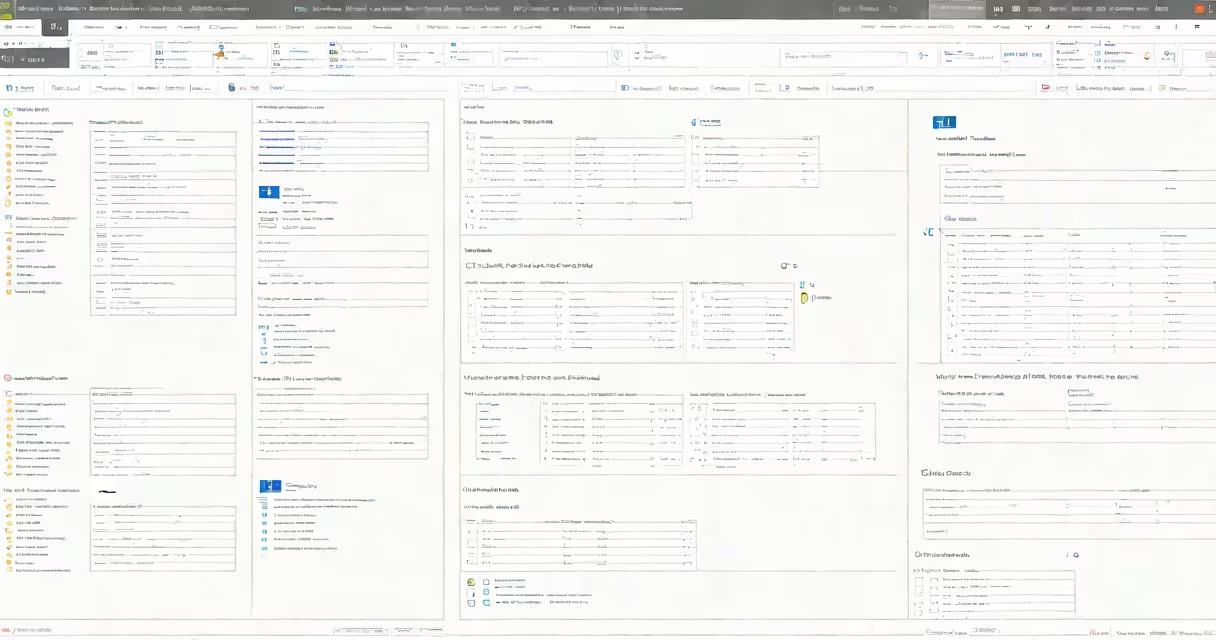
Microsoft Form is a free, web-based tool that lets users create surveys, quizzes, and data collection forms. It's part of the Microsoft 365 set and runs directly in a browser without installation. Forms support real-time response tracking and integrate smoothly with Excel, Teams, and Outlook.
Forms are designed for quick deployment across devices. A teacher can send a quiz link to students via email. A manager can collect feedback on a project using a single shareable URL. Responses appear instantly in a dashboard, updated in real time as people submit answers.
Microsoft Forms is not a standalone app. It operates through Microsoft's cloud infrastructure, accessible from any device with internet access. It supports both simple yes/no questions and complex branching logic based on previous answers. The tool is available to anyone with a Microsoft account, including free personal accounts.
When you create a form in Microsoft Forms, you define questions using a drag-and-drop interface. You choose between multiple-choice, text input, rating scales, date pickers, and file uploads. Each question can have custom settings, such as requiring a response or allowing multiple selections.
Once published, the form generates a unique URL. Sharing options include copying the link, embedding it in a webpage, or sending it via email or Teams. As respondents fill out the form, their answers are stored in a secure Microsoft cloud database.
Behind the scenes, Microsoft Forms uses Azure backend services to manage authentication, encryption, and data routing. All data is encrypted in transit and at rest. Access controls are enforced through Microsoft Entra ID (formerly Azure AD), ensuring only authorized users can view or edit responses.
Microsoft Forms supports several form types tailored to different tasks:
| Type | Use Case | Key Feature |
|---|---|---|
| Survey | Gather feedback from customers or employees | Supports Likert scales, open-ended text, and skip logic |
| Quiz | Test knowledge or assess learning outcomes | Auto-grading, score reporting, and result analytics |
| Data Collection | Collect structured information like registrations or requests | Integration with Excel and Power Automate for workflow automation |
For example, a school counselor might create a quiz with 10 multiple-choice questions about mental health awareness. After students submit, the form automatically calculates scores and flags those who answered fewer than 7 correctly. The results export directly to Excel with columns for name, score, and timestamp.
A lesser-known feature is the ability to set up conditional logic. If a respondent selects "Yes" to "Do you have a medical condition?" the form can then show follow-up questions about treatment history. This reduces irrelevant responses and improves data quality.
Many assume Microsoft Forms is limited to basic surveys. In reality, it supports advanced configurations like randomized question order, delayed question display, and custom branding. These features are especially useful in research settings or large-scale employee engagement programs.
Another myth is that Forms only works within Microsoft 365. While it integrates deeply with Office 365, it functions independently. Anyone with a Microsoft account-including personal accounts-can create and respond to forms without organizational access.
Some users confuse Microsoft Forms with Google Forms. Both tools serve similar purposes, but Microsoft Forms offers tighter integration with Microsoft's system. For example, a form created in Microsoft Forms can be embedded directly into a Teams chat or shared as a calendar event. Google Forms lacks native support for these workflows.
In 2023, a university department used Microsoft Forms to collect student feedback on remote course delivery. They created a 12-question survey covering pacing, clarity, technical issues, and workload. The form included a mix of rating scales (1-5), multiple choice, and open-ended text fields.
After distributing the link via email and posting it in the course LMS, 147 students completed the form within 48 hours. The dashboard showed that 68% rated instruction clarity as 4 or higher, while 32% reported frequent audio delays during live sessions.
The team exported the data to Excel, filtered responses by course section, and identified recurring issues in one lab group. They adjusted the recording setup and sent a follow-up form to confirm improvements. The entire process took under two weeks and required no coding.
As someone who has used Microsoft Forms in academic and nonprofit settings, I've seen it reduce data collection time by 60% compared to paper surveys. The real-time insights allow immediate action-like adjusting a training session based on live feedback.
Organizations use Microsoft Forms for rapid feedback loops. A hospital might deploy a patient satisfaction form after appointments. A retail chain could run a product feedback survey at checkout kiosks. The tool's speed and low barrier to entry make it ideal for time-sensitive decisions.
Security is a major factor. Unlike public survey platforms, Microsoft Forms complies with GDPR, HIPAA, and FERPA. Data remains within Microsoft's global network, and administrators can control who sees responses. This makes it suitable for regulated environments.
For educators, Microsoft Forms enables instant assessment. Teachers can create quizzes that auto-grade and sync with gradebooks. Students receive immediate feedback, improving learning retention. According to a 2022 study by the University of Michigan, students who received real-time quiz results scored 15% higher on subsequent exams than those who didn't.
Microsoft Forms connects with other tools in the Microsoft system. Responses can trigger automated actions via Power Automate. For example, a form collecting job applications can automatically send a confirmation email and create a task in Planner.
When combined with Power BI, form data can generate live dashboards. A marketing team might track campaign response rates in real time, adjusting messaging based on engagement patterns. This level of integration is not available in most free alternatives.
Microsoft Forms is not just a survey tool-it's a real-time data engine. It turns informal input into structured insights, enabling faster, better decisions across schools, businesses, and nonprofits.