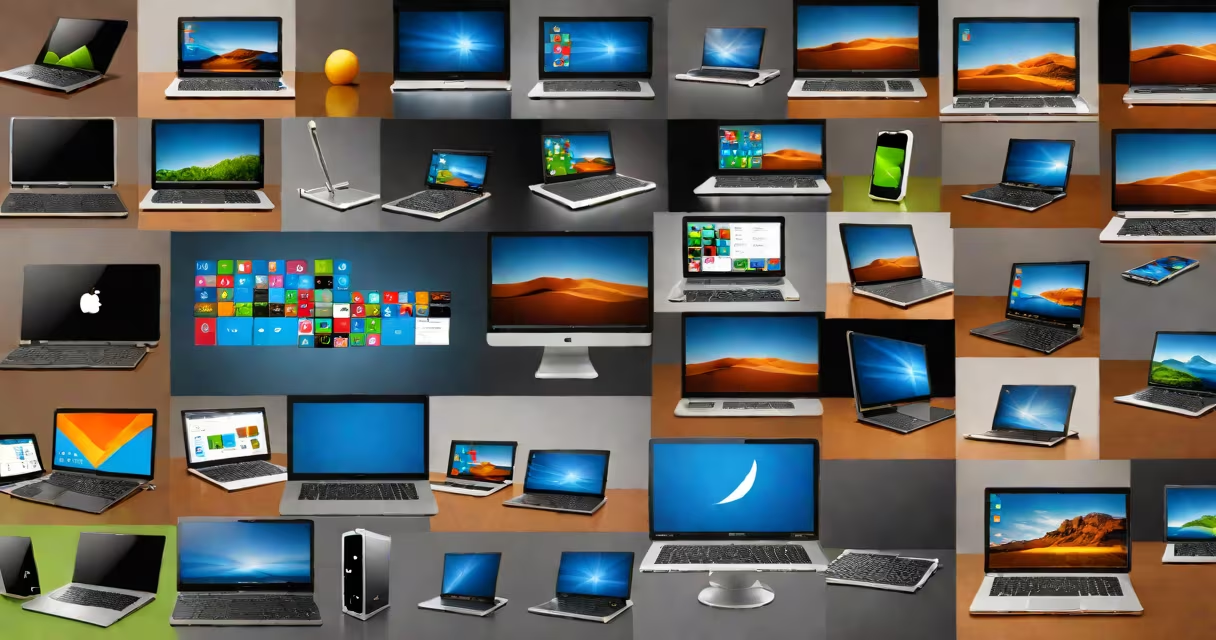
Various operating systems are software platforms that manage a device's hardware and software resources, enabling users to run applications and interact with the machine. They act as intermediaries between users, programs, and physical components like processors, memory, and storage.
Every computing device-ranging from smartphones and tablets to servers and embedded systems-relies on an operating system to function. Without one, a device cannot execute programs or respond to user input. These systems handle tasks such as process scheduling, memory allocation, file management, and security enforcement.
The term "various operating systems" refers to the wide range of platforms designed for specific environments, performance needs, and user preferences. Major categories include desktop, mobile, server, real-time, and embedded systems. Each serves distinct purposes and runs on specialized hardware.
An operating system operates through a layered architecture. At its core is the kernel-the central component responsible for managing CPU time, memory, and hardware access. The kernel runs in protected mode, preventing applications from directly manipulating system resources.
When a user launches an app, the operating system allocates memory, assigns processor time, and grants access to files or peripherals. For example, when you open a photo in a gallery app on a smartphone, the OS retrieves the image from storage, loads it into RAM, and renders it on screen using graphics drivers.
Modern operating systems also enforce security policies. They isolate processes, validate permissions, and prevent unauthorized access. On Windows, User Account Control restricts admin-level changes. On Linux, file permissions are enforced via ownership and access control lists (ACLs).
Operating systems fall into several functional categories based on their design goals and deployment environment. The most common types are:
| Type | Primary Use | Examples | Key Feature |
|---|---|---|---|
| Desktop OS | Personal computers and workstations | Windows 11, macOS Sonoma, Ubuntu | Graphical user interface (GUI), multitasking support |
| Mobile OS | Smartphones and tablets | Android 14, iOS 17 | Touch-based navigation, app sandboxing |
| Server OS | Network services and data centers | Windows Server 2022, Red Hat Enterprise Linux | High availability, remote administration tools |
| Real-time OS | Industrial automation, medical devices | FreeRTOS, VxWorks | Deterministic response times under 1 millisecond |
| Embedded OS | IoT devices, smart appliances | Contiki, TinyOS | Minimal resource footprint, low power consumption |
Each type reflects trade-offs between performance, reliability, and usability. For instance, embedded systems prioritize energy efficiency over graphical capabilities. A smart thermostat running FreeRTOS uses less than 100 KB of RAM and wakes from sleep in under 50 milliseconds.
Some systems blur category lines. Android began as a mobile OS but now powers smart TVs, wearables, and automotive infotainment systems. Similarly, Linux distributions like Ubuntu Desktop and Ubuntu Server share the same kernel but differ in default packages and configuration.
Many assume that "various operating systems" means only consumer-facing platforms like Windows or macOS. This overlooks the vast system of specialized systems used in critical infrastructure. For example, NASA's Mars rovers run on a custom real-time OS derived from VxWorks, not general-purpose software.
A frequent error is equating operating systems with software suites. Windows 11 includes Microsoft Edge, Office, and Xbox apps-but these are applications, not the OS itself. The OS is the underlying platform that runs them.
Another misunderstanding involves open-source versus proprietary models. While Linux is open-source and freely modifiable, Apple's macOS is closed-source and legally restricted to Apple hardware. However, both can serve similar roles in desktop computing. The difference lies in licensing, development model, and distribution control.
For clarity: an operating system is not a program. It is a foundation. You don't "run" an OS-it runs everything else. Installing a game doesn't require reinstalling the OS; the OS manages the installation process.
Consider a small business deploying a new point-of-sale (POS) system. The owner chooses a Raspberry Pi running Raspbian (a Debian-based Linux distribution). The system boots in under 10 seconds, supports touch input, and connects securely to a cloud-based inventory database.
This setup illustrates how various operating systems solve problems efficiently. Raspbian provides a lightweight, stable environment tailored for single-board computers. It handles USB input, network communication, and audio output-all without needing a full desktop GUI.
Another example: a hospital uses a real-time OS on infusion pumps. These devices deliver medication at precise intervals. A delay of even 100 milliseconds could cause overdose or underdose. The OS helps critical tasks complete within strict timing windows, verified through formal testing by the FDA.
I once observed a retail store using a modified version of Android to power digital signage. The kiosk ran a custom app that pulled product images from a local server. The OS handled screen rotation, touch input, and automatic reboot after crashes. The solution cost less than $100 per unit and required minimal IT maintenance.
Organizations select operating systems based on compatibility, support, security, and cost. A financial institution may choose Red Hat Enterprise Linux for its banking servers due to long-term support and compliance with PCI-DSS standards. Meanwhile, a creative agency might prefer macOS for its integration with Adobe Creative Cloud and optimized video rendering.
Mobile developers often test apps on multiple operating systems. An app built for Android must function correctly on devices with different screen sizes, camera hardware, and sensor configurations. The Android Open Source Project (AOSP) provides reference implementations, but manufacturers customize the OS with proprietary features.
Security is a major driver. According to the National Institute of Standards and Technology (NIST), systems running unpatched or unsupported operating systems are 3.6 times more likely to suffer a breach. Organizations that maintain updated OS versions reduce attack surface.
Understanding various operating systems leads naturally to topics like virtualization, containerization, and system administration. Virtual machines emulate entire hardware environments, allowing multiple OS instances to run simultaneously on one physical host. Docker containers, by contrast, share the host OS kernel but isolate application environments.
When evaluating different computer operating systems, consider not just features but long-term viability. A system with limited community support or outdated package repositories becomes harder to maintain over time. Always verify release schedules and end-of-life dates before deployment.