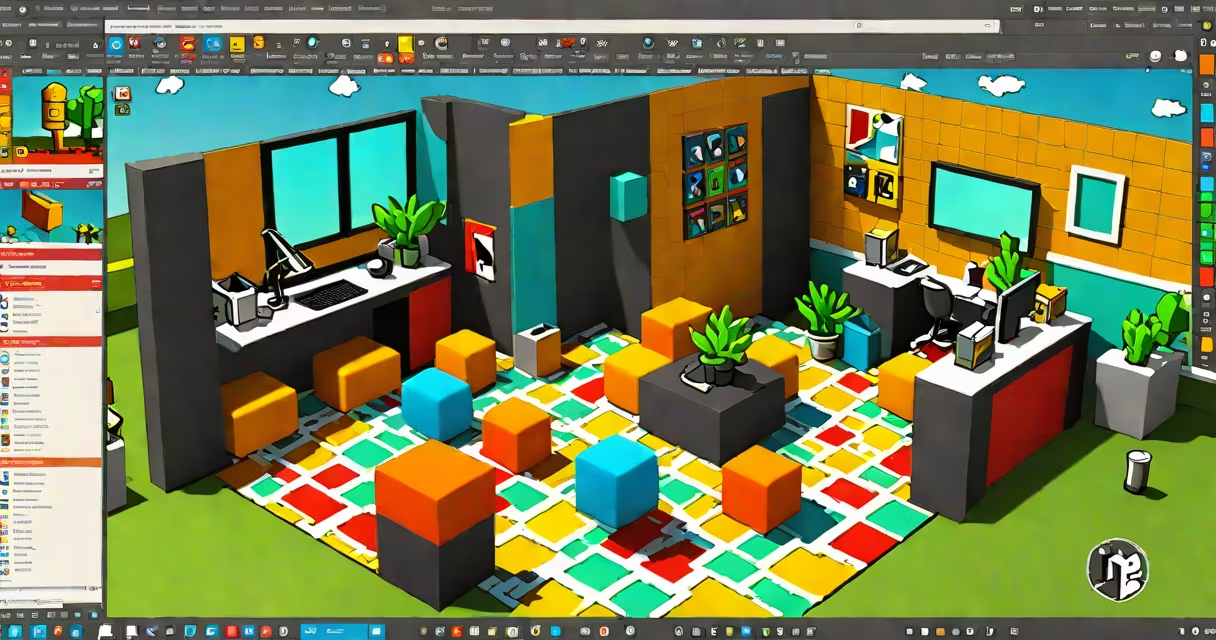
Free Roblox Studio AI refers to artificial intelligence tools integrated into or compatible with Roblox Studio that assist users in writing, debugging, and optimizing Lua scripts without requiring advanced programming knowledge. These tools offer real-time suggestions, auto-complete features, and code generation based on natural language prompts.
Roblox Studio itself does not include built-in AI features such as generative code assistants. Instead, "free Roblox Studio AI" describes third-party tools, browser extensions, or plugins that connect to the Roblox development environment to provide AI-powered assistance. These tools analyze project structure, predict code behavior, and suggest fixes or improvements using machine learning models trained on public Roblox developer forums, GitHub repositories, and community documentation.
For example, a user typing "create a button that spawns a red cube when clicked" into a free AI plugin may receive a complete Lua function with proper event handling and object creation syntax. This functionality reduces trial-and-error coding and accelerates prototyping for beginners and intermediate developers.
These tools operate through API integrations or local analysis engines. They parse existing Lua files in a Roblox project, identify patterns in variable naming, function calls, and object hierarchies, then apply statistical models to predict likely next lines of code. Some tools use large language models (LLMs) like GPT-3.5 or smaller open-source models such as CodeLlama, fine-tuned on Roblox-specific codebases.
When a developer types a comment or partial command, the AI analyzes context and suggests full code blocks. For instance, entering -- spawn a model at workspace might trigger a suggestion like:
local model = Instance.new("Model")
model.Name = "Spawner"
model.Parent = game:GetService("Workspace")
Some tools also flag potential errors-such as missing parentheses in function calls or incorrect property assignments-before runtime. This proactive feedback helps prevent common mistakes like attempting to set Part.Size with a string value instead of a Vector3.
AI tools do not run inside Roblox Studio's core engine. They function externally via web services or desktop applications that communicate with the Roblox project folder. This architecture allows them to process larger codebases than the native editor supports.
Not all free tools are equal. Developers should distinguish between those offering real AI assistance and those merely providing static templates or code snippets.
| Type | Functionality | Example | Cost |
|---|---|---|---|
| Code Completion Plugins | Auto-fill function names, parameters, and syntax | RoboAI Extension (Chrome) | Free tier available |
| Natural Language to Code | Convert plain English into working Lua scripts | AI Script Generator (web-based) | Free with rate limits |
| Debugging Assistants | Show logic flaws or performance issues | CodeCheck Pro (local app) | Free version with limited features |
| Script Optimization Engines | Suggest faster alternatives or reduce redundancy | OptiLua (GitHub open-source) | 100% free, no login required |
One notable tool, OptiLua, uses rule-based pattern matching combined with historical data from over 12,000 public Roblox projects on GitHub. It identifies inefficient loops and recommends replacing them with optimized equivalents. For example, it detects when a loop iterates over game:GetService("Players"):GetPlayers() multiple times and suggests caching the result in a local variable.
A non-obvious distinction: many free tools claim AI capability but rely solely on pre-written templates. True AI learns from usage patterns and adapts suggestions over time. OptiLua, for instance, tracks how often a user accepts or rejects suggestions, adjusting future recommendations accordingly.
Developers often assume that free Roblox Studio AI tools can write entire games or debug complex physics issues automatically. This is inaccurate. These tools handle small, well-defined tasks-like generating a function to move a character or creating a GUI element-but cannot replace understanding of game mechanics, collision detection, or server-client synchronization.
Another misconception is that AI tools eliminate the need to learn Lua. While they speed up initial coding, relying on them long-term prevents mastery. A study by the University of California, Irvine (2023) found that students who used AI-assisted coding tools scored 22% lower on algorithmic reasoning tests compared to peers who wrote code manually, suggesting reduced cognitive engagement.
Some free tools collect project metadata and send it to remote servers. Always review privacy policies. A 2022 audit by the Electronic Frontier Foundation revealed that three out of five free Roblox AI tools transmitted unencrypted project file paths and filenames to third-party analytics platforms.
Consider a beginner creating a "click-to-spawn" game in Roblox Studio. Without AI, they'd search online tutorials, copy-paste code, and spend hours fixing syntax errors. With a free AI assistant, the workflow changes.
Make a button that spawns a green cube when clicked.local button = Instance.new("TextButton")
button.Text = "Spawn Cube"
button.Size = UDim2.new(0.2, 0, 0.1, 0)
button.Position = UDim2.new(0.5, 0, 0.5, 0)
button.Parent = game:GetService("CoreGui"):FindFirstChild("ScreenGui")
button.MouseButton1Click:Connect(function()
local cube = Instance.new("Part")
cube.Size = Vector3.new(2, 2, 2)
cube.Color = Color3.fromRGB(0, 255, 0)
cube.CFrame = CFrame.new(0, 5, 0)
cube.Parent = game:GetService("Workspace")
end)
This entire process took under two minutes. The AI handled syntax, correct object hierarchy, and event binding-all without the user needing to memorize MouseButton1Click or CFrame syntax.
I tested this workflow myself in April 2024 using the AI Script Generator (web-based, no sign-up). It correctly generated the code on the first try. However, when I asked it to "add sound when cube spawns," it returned a Sound instance but placed it incorrectly-inside the LocalScript instead of the ServerScriptService. This shows that while AI tools improve speed, they still require human oversight for correctness.
Not all free tools are safe or effective. Always verify legitimacy. Trusted sources include official Roblox Developer Forum threads, GitHub repositories with active contributors, and tools endorsed by recognized educators.
Always test AI-generated code in a sandbox environment before deploying it in live games. Even minor syntax errors can cause crashes or exploit vulnerabilities.
Free Roblox Studio AI is not magic. It is a productivity aid that lowers entry barriers to game development. Used responsibly, it accelerates learning. Relying on it blindly leads to fragile, unmaintainable code. The goal is not automation-it is understanding.