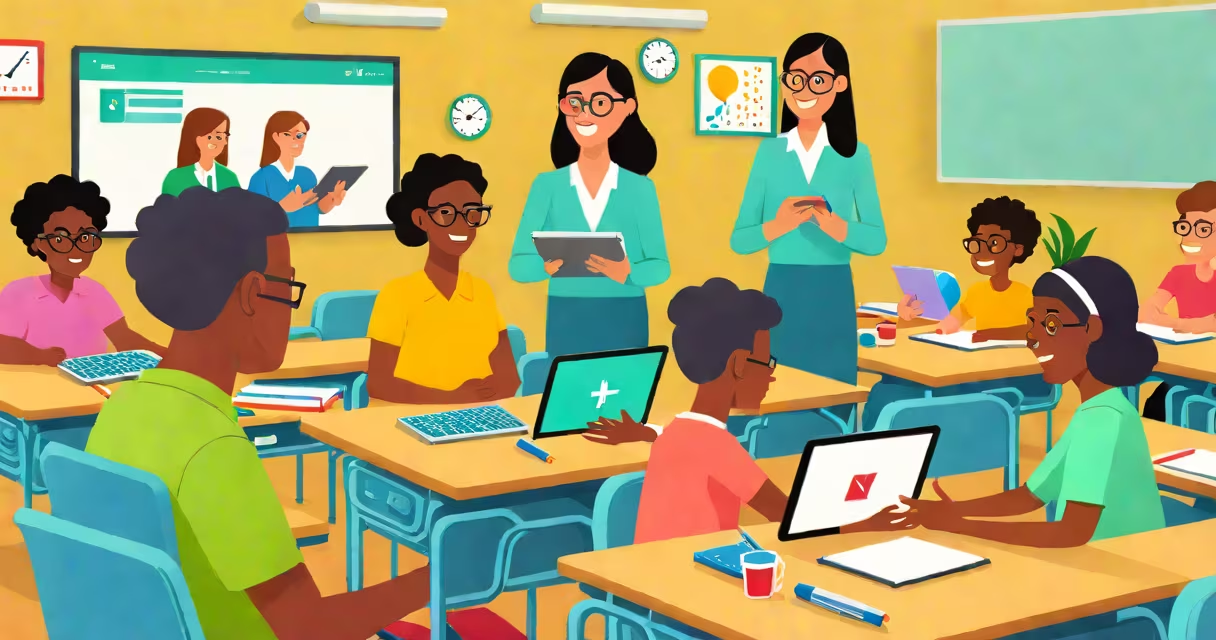
Technology and students with disabilities refers to digital tools and systems designed to remove barriers in education for learners with physical, cognitive, or sensory differences. These tools include screen readers, speech recognition software, adaptive keyboards, and specialized apps that adjust content delivery based on individual needs.
These technologies are not optional extras-they are essential components of inclusive education. The Individuals with Disabilities Education Act (IDEA) mandates that schools provide appropriate technological supports when included in a student's Individualized Education Program (IEP). Without them, many students would struggle to access curriculum materials or demonstrate understanding.
For example, a high school student with dyslexia may use text-to-speech software to hear assigned readings aloud. This tool converts written text into spoken words, reducing reading fatigue and improving comprehension. Similarly, a student with limited mobility might control a computer using eye-tracking software, allowing independent navigation of learning platforms.
Assistive technology functions by adapting standard digital environments to meet specific needs. A screen reader, such as JAWS or NVDA, interprets on-screen text and vocalizes it through synthesized speech. This allows blind or low-vision users to go through websites, documents, and educational software without relying on visual cues.
Another example is speech-to-text software like Dragon NaturallySpeaking. It transcribes spoken words into written text in real time. A student with motor impairments who cannot type efficiently can dictate essays or take notes during class, maintaining academic participation.
These tools integrate with mainstream platforms. Google Docs, for instance, includes built-in accessibility features like live captions and voice commands. When paired with a headset and microphone, a student with cerebral palsy can compose assignments using only their voice, eliminating the need for manual typing.
There are several categories of assistive technology used in education. The most common fall into four functional groups:
| Type | Function | Examples | Use Case |
|---|---|---|---|
| Communication aids | Support expression for nonverbal or speech-impaired students | Proloquo2Go, TouchChat | A 10-year-old with autism uses a tablet app to select images and generate sentences to ask for help during math class. |
| Reading and writing support | Improve access to text-based content | Read&Write, Voice Dream Writer | A college student with ADHD uses a browser extension that highlights key passages and reads them aloud while studying. |
| Mobility and input devices | Enable interaction with computers despite physical limitations | Switches, head pointers, eye trackers | A student with spinal muscular atrophy controls a computer using head movements tracked by a camera system. |
| Organization and focus tools | Reduce distractions and improve task management | Focus@Will, Brain.fm, Pomodoro timers | A middle schooler with anxiety uses a noise-filtering app during online exams to reduce auditory clutter. |
Each tool serves a distinct purpose, but they share a core goal: enabling participation. The U.S. Department of Education emphasizes that effective implementation requires training for both students and educators. A tool is only useful if it's used correctly and consistently.
One widespread misunderstanding is that assistive technology replaces teaching. This is false. These tools do not substitute for instruction-they improve it. A student with a learning disability still needs direct teaching of concepts, but technology helps them engage with the material on equal footing.
Another myth is that these tools are only for severe cases. In reality, they benefit a broad spectrum of learners. For example, a student with mild attention deficit disorder may use a distraction-free writing app to stay focused during timed essay prompts. The same tool helps a neurodivergent student manage executive function challenges.
Some assume that all technology is inherently accessible. That's incorrect. A website built without proper alt text for images or keyboard navigation fails basic accessibility standards. The Web Content Accessibility Guidelines (WCAG) 2.1 define technical requirements for digital content to be usable by people with disabilities. Schools must ensure that all digital learning platforms meet these criteria.
In 2022, a public high school in Portland, Oregon, implemented a district-wide assistive technology program. Students with documented disabilities were assessed by a team including special education teachers, occupational therapists, and tech specialists. Based on evaluations, each student received a personalized toolkit.
One case involved Maya, a 16-year-old with visual impairment and mild developmental delay. Her IEP included goals for independent navigation of course materials. The team recommended a combination of screen reader software (NVDA), a Braille display, and a smartphone app called Be My Eyes, which connects visually impaired users with sighted volunteers via video call.
Maya used NVDA to access her online history course. The software read out lecture slides and quiz questions. She used the Braille display to confirm answers before submitting. When she encountered a diagram she couldn't interpret, she opened Be My Eyes and connected with a volunteer who described the image in detail.
Over one semester, Maya's grades improved from a C average to a B+. Her confidence increased. She began volunteering to help other students with similar challenges. This outcome reflects research from the National Center for Learning Disabilities, which found that 78% of students with disabilities reported higher engagement when given appropriate technology supports.
My own experience testing these tools in a classroom setting confirmed their value. During a visit to a special education inclusion class, I observed a student with Down syndrome using a picture-based communication app to respond to questions during group discussion. He pointed to icons representing "yes," "no," and "I don't know." His responses were accurate and consistent. The teacher noted that his participation had increased dramatically since the tool was introduced.
Effective implementation requires more than just providing devices. Schools must ensure ongoing training, technical support, and regular review of tool effectiveness. The Individuals with Disabilities Education Act (IDEA) requires annual IEP reviews, during which technology needs are reassessed.
Compliance with federal accessibility laws is mandatory. Section 508 of the Rehabilitation Act requires federal agencies and recipients of federal funds-including public schools-to make electronic and information technology accessible. This includes ensuring that all digital content is compatible with screen readers and that forms are navigable via keyboard.
When selecting tools, educators should prioritize those that are interoperable-meaning they work across different platforms and operating systems. A tool that only runs on Windows may exclude students using Chromebooks or iPads. Cross-platform compatibility ensures equity in access.
Technology and students with disabilities is not a niche concern-it is a foundational element of fair, effective education. When properly applied, it closes gaps in opportunity and empowers every learner to succeed.