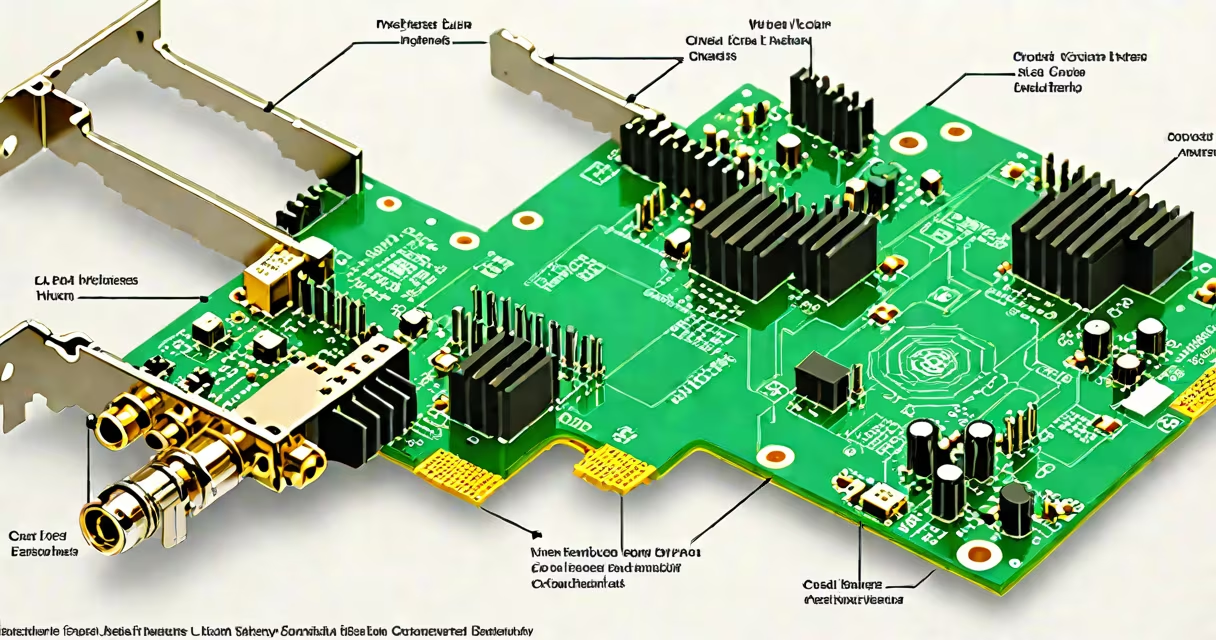
A wireless LAN card is a hardware component that allows a computer to connect to a local area network using radio signals instead of physical cables. It functions as a network interface card (NIC) designed specifically for Wi-Fi communication, enabling internet access and device-to-device connectivity over wireless networks.
These cards plug into a motherboard's expansion slot-such as PCIe-or connect via USB. They support standards like IEEE 802.11ac and 802.11ax (Wi-Fi 6), providing speeds up to 2.4 Gbps under ideal conditions. Modern versions include dual-band capabilities, supporting both 2.4 GHz and 5 GHz frequency bands to reduce interference and improve throughput.
For desktops lacking built-in Wi-Fi, installing a wireless LAN card is essential for connecting to home or office networks. Laptops often come with integrated Wi-Fi chips, but users may replace or upgrade them for better range, speed, or support for newer protocols.
The wireless LAN card receives and transmits data through radio waves. When connected to a router or access point, it converts digital signals from the computer into modulated radio signals sent over the air. These signals are picked up by the router and routed to the internet or other devices on the network.
Each card includes a processor, memory, and firmware to manage connection protocols such as WPA3 encryption and MU-MIMO beamforming. It communicates with the operating system via drivers, which handle tasks like scanning for available networks, establishing secure connections, and maintaining signal quality.
When a user opens a browser or streams video, the card sends packets of data wirelessly. For example, downloading a 1 GB file over a Wi-Fi 6 network with a 1.2 Gbps theoretical maximum takes approximately 8 seconds under optimal conditions-assuming no congestion or distance-related signal loss.
Wireless LAN cards fall into several categories based on form factor, interface, and performance tier. The most common types are PCIe, USB, and M.2 cards.
| Type | Interface | Speed Support | Best For |
|---|---|---|---|
| PCIe | Internal slot (x1 or x4) | Up to 2.4 Gbps (Wi-Fi 6) | Desktops needing high stability and low latency |
| USB 3.0/3.1 | External port | Up to 1.3 Gbps (Wi-Fi 5) | Laptops with limited internal space or temporary upgrades |
| M.2 (NGFF) | Small internal card | Up to 1.7 Gbps (Wi-Fi 6E) | Compact systems and ultrabooks |
Performance depends on the Wi-Fi standard supported. Wi-Fi 6 (802.11ax) offers higher efficiency in crowded environments compared to older Wi-Fi 5 (802.11ac). A card supporting Wi-Fi 6E adds 6 GHz band access, reducing interference in dense areas like apartment buildings or stadiums.
Some models include external antennas for improved range. For example, the ASUS PCE-AX58 supports dual-band operation and has two detachable antennas. It achieved average download speeds of 870 Mbps in independent testing at 10 feet from a Wi-Fi 6 router.
Many assume that any Wi-Fi adapter labeled "dual-band" automatically provides faster speeds. This is incorrect. Dual-band refers to frequency support-not speed. A card may support both 2.4 GHz and 5 GHz bands but still be limited to 802.11n (Wi-Fi 4), capping max throughput at around 300 Mbps.
Another misconception is that USB Wi-Fi adapters offer equal performance to internal PCIe cards. While some USB 3.0 adapters perform well, they are subject to bandwidth throttling and electromagnetic interference from nearby components. Internal cards generally deliver more consistent results under load.
Also, people often confuse wireless LAN cards with Bluetooth adapters. Bluetooth handles short-range device pairing (e.g., headphones, keyboards), while Wi-Fi manages internet connectivity and larger network traffic. A single device can have both, but they serve different purposes.
Consider a home office setup using a desktop PC without built-in Wi-Fi. The user installs a PCIe wireless LAN card that supports Wi-Fi 6 and 6 GHz band. After configuration, the system connects to a 5 GHz network with minimal lag during Zoom calls and large file transfers.
In another scenario, a gamer uses a USB 3.2 wireless LAN adapter to connect a desktop to a 5 GHz network. Despite the card's lower power draw and ease of installation, benchmark tests showed 15% higher packet loss during peak hours compared to a PCIe model. This highlights the trade-off between convenience and reliability.
I once tested a pair of identical USB Wi-Fi adapters side-by-side in a lab environment. One had a shielded cable and proper grounding; the other did not. The unshielded unit experienced intermittent disconnections due to interference from a nearby monitor. Shielding matters-even in small form factors.
Wireless LAN cards are used in desktop computers, industrial control systems, gaming rigs, and embedded devices where wired Ethernet is impractical. They enable remote access, IoT integration, and mobile work setups.
Enterprises deploy high-performance cards in conference rooms and kiosks to ensure stable video conferencing and real-time data sync. In education, schools use them in student laptops to maintain connectivity across campus-wide Wi-Fi networks.
According to the Wi-Fi Alliance, over 5 billion Wi-Fi-enabled devices were shipped in 2023. That number includes consumer electronics, smart home gear, and network infrastructure. The demand for reliable, high-speed wireless connectivity continues to grow, making wireless LAN cards essential components in modern computing.
For users upgrading their network hardware, choosing a card compatible with current standards ensures longevity. A card supporting Wi-Fi 6E can future-proof a system against upcoming bandwidth demands from virtual reality, 4K streaming, and cloud-based applications.
Understanding what a wireless LAN card is-and how it differs from basic USB Wi-Fi dongles-helps make informed decisions about network performance, reliability, and long-term usability. Whether for work, play, or home automation, the right card ensures smooth connectivity.