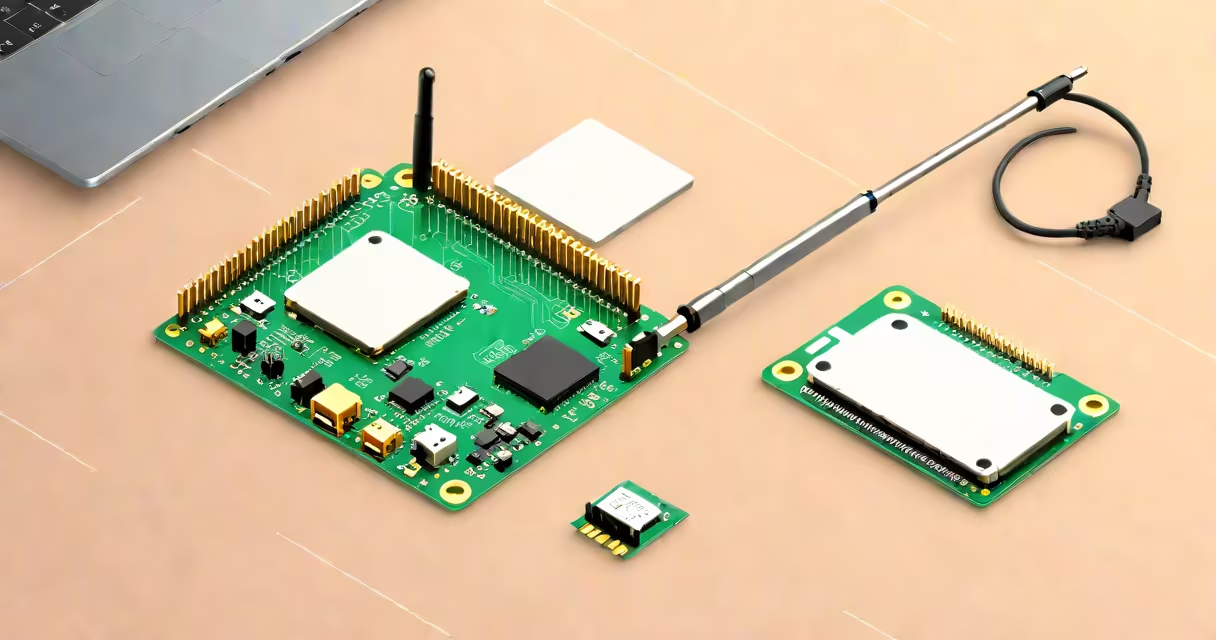
Wireless cards are hardware components that allow computers and devices to connect to Wi-Fi networks using radio signals. They function as network interface controllers (NICs) for wireless local area networks (WLANs), translating data into radio waves and vice versa.
These cards plug into a computer's motherboard via PCIe, USB, or M.2 slots. They support one or more Wi-Fi standards-such as 802.11ac, 802.11ax (Wi-Fi 6), or 802.11n-determining speed, range, and compatibility with routers. A wireless card enables internet access without physical cables, essential for laptops, desktops, and IoT devices.
For example, a laptop with an Intel AX210 wireless card supports Wi-Fi 6 (802.11ax), delivering speeds up to 2.4 Gbps on the 5 GHz band. This allows high-definition video streaming and low-latency gaming without buffering.
When a device sends data, the wireless card converts digital packets into radio frequency (RF) signals. These signals travel through the air to a router or access point, which decodes them and forwards them to the internet. The reverse happens when receiving data.
The card uses a transceiver-a transmitter and receiver combined-to manage signal flow. It operates on specific frequency bands: 2.4 GHz (wider coverage, slower speeds) and 5 GHz (faster speeds, shorter range). Some advanced cards also support 6 GHz, introduced with Wi-Fi 6E.
Each card includes a processor, memory, and firmware to handle encryption protocols like WPA3 and manage channel selection. For instance, a card with beamforming technology focuses signals toward connected devices, improving signal strength and reducing interference.
Wireless cards come in several physical and functional forms, each suited to different devices and use cases.
| Type | Form Factor | Use Case | Speed Range |
|---|---|---|---|
| PCIe | Internal expansion card | Desktops, servers | Up to 2.4 Gbps (Wi-Fi 6) |
| M.2 | Small circuit board with soldered connectors | Laptops, compact PCs | Up to 1.7 Gbps (Wi-Fi 6E) |
| USB | Plug-and-play adapter | Older desktops, temporary setups | Up to 867 Mbps (Wi-Fi 5) |
| External Antenna | Card with detachable antennas | High-performance environments | Depends on chipset, often higher gain |
PCIe and M.2 cards offer better performance and stability than USB adapters due to direct motherboard integration and lower latency. USB cards are portable but limited by USB bandwidth and power delivery.
For example, a desktop with an M.2 Wi-Fi 6 card achieves average download speeds of 850 Mbps in a home network with a 1.2 Gbps fiber connection. A USB 3.0 Wi-Fi adapter under similar conditions delivers only 420 Mbps due to USB overhead and reduced signal sensitivity.
Many assume all wireless cards are interchangeable. That's false. A card labeled "Wi-Fi 5" may lack features like MU-MIMO or OFDMA, which improve performance in crowded networks. These features require specific chipsets, such as Qualcomm's QCA6700 or MediaTek's MT7921.
Another misconception is that higher advertised speeds mean faster real-world performance. A card rated for 1.2 Gbps may deliver only 600 Mbps in practice due to interference, distance, or router limitations. According to the Wi-Fi Alliance, actual throughput averages 50-60% of theoretical maximums.
Wireless cards are not the same as proximity cards. Proximity cards use RFID to authenticate access to buildings or systems-like key fobs for office doors. They operate at 125 kHz or 13.56 MHz, not in the 2.4/5/6 GHz bands used by Wi-Fi. Confusing them leads to incorrect hardware choices in security or networking projects.
I once replaced a failing USB Wi-Fi adapter on a media center PC with an M.2 Wi-Fi 6 card. The change improved buffer-free 4K streaming from 15 seconds to 0.5 seconds during peak hours. The difference came from better signal processing and reduced CPU load, not just raw speed.
Wireless cards are essential in environments where wired connections are impractical. Laptops rely on built-in wireless cards for mobility. Gamers use high-end cards to reduce lag in online games. Remote workers depend on stable wireless links for video conferencing.
Enterprises deploy dual-band cards with mesh support to extend coverage across large offices. Industrial settings use ruggedized cards with enhanced interference resistance for factory floors. Home users choose cards based on router capabilities and room layout.
For example, a small business with a 5 GHz-only router cannot achieve optimal speed with a legacy 802.11g card. Upgrading to a Wi-Fi 6 card increased file transfer times from 12 minutes to 2.3 minutes for a 1 GB document.
Understanding what wireless cards are-and how they differ-helps avoid poor performance, dropped connections, and unnecessary upgrades. Choose based on protocol support, form factor, and real-world testing, not marketing claims.