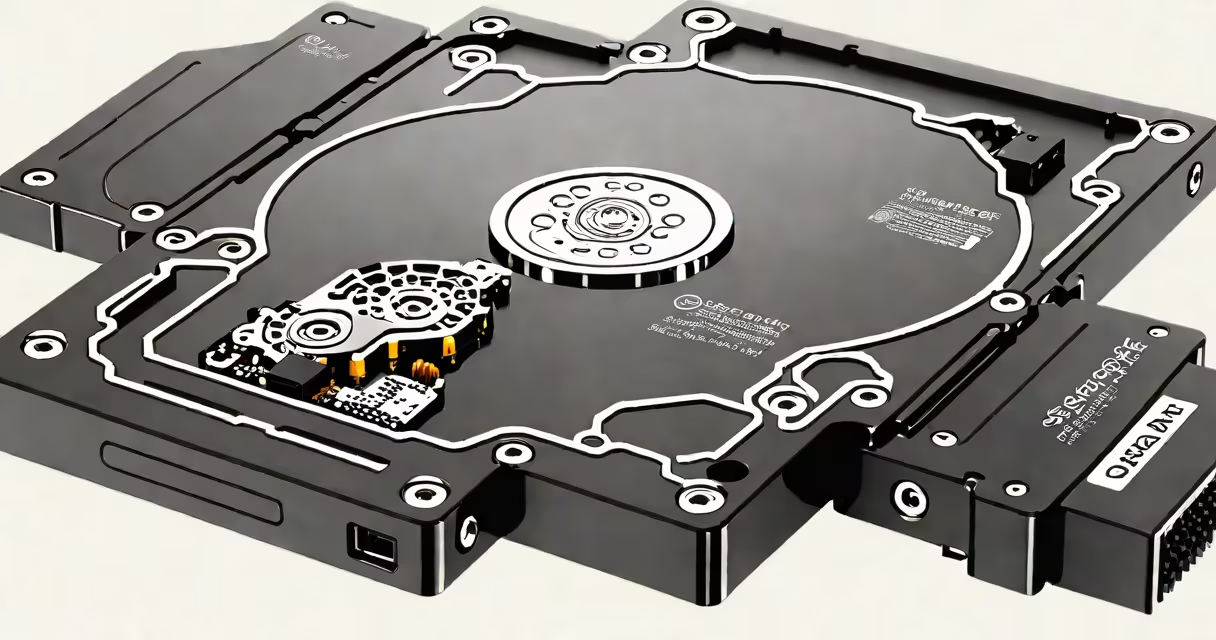
The Seagate Portable SCSI Disk Device is a rugged, externally powered hard drive designed for use with older Macintosh and Unix-based systems via a SCSI interface. It connects through a 50-pin SCSI port, supports hot-swapping, and offers capacities ranging from 2GB to 10GB in models released between 1996 and 2002.
SCSI (Small Computer System Interface) was the dominant standard for high-performance storage in workstations and servers during the 1990s. The Seagate Portable SCSI Disk Device leveraged this protocol to deliver faster data transfer rates than early USB or FireWire alternatives. It was marketed as a mobile solution for professionals needing reliable, high-capacity storage for audio editing, video production, and system backups.
Unlike modern drives that use USB-C or SATA, this device relies on a dedicated SCSI controller. It requires a compatible host system with a SCSI port or an adapter card. Power is drawn from the SCSI bus, eliminating the need for a separate power supply. The drive features a durable metal casing, rubberized feet for stability, and a status LED indicating activity or errors.
The Seagate Portable SCSI Disk Device operates using the SCSI-2 standard, which defines command sets, data transfer modes, and device addressing. When connected to a compatible system, the operating system detects the drive as a SCSI peripheral. The device uses a 50-pin SCSI connector (Type B) and supports both single-ended and differential signaling, though most consumer models use single-ended.
Data transfers occur in burst mode, allowing sustained speeds up to 1.5 MB/s under ideal conditions. This is slower than modern USB 3.0 drives but was competitive in the late 1990s. The drive spins at 5,400 RPM, balancing performance and power consumption. It includes a built-in cache of 256 KB to improve read/write efficiency.
For file systems, the device typically uses HFS (Hierarchical File System) on Mac OS 8-9 or UFS (Unix File System) on BSD and Linux. Modern operating systems like Windows 10 or macOS Monterey do not natively support SCSI devices without additional drivers or hardware adapters.
Seagate released several variants of the Portable SCSI Disk Device between 1996 and 2002. The most common models include:
| Model | Capacity | Interface | Year Released | Use Case |
|---|---|---|---|---|
| STT20000N | 2 GB | SCSI-2, 50-pin | 1996 | Macintosh G3/G4 users |
| STT50000N | 5 GB | SCSI-2, 50-pin | 1998 | Video editing studios |
| STT100000N | 10 GB | SCSI-2, 50-pin | 2001 | Unix server backups |
These drives were sold with a 1.5-meter SCSI cable and a protective carrying case. They were not designed for direct connection to consumer PCs, which rarely included SCSI ports. Instead, they were integrated into professional workflows where reliability and speed mattered more than portability.
Today, the Seagate Portable SCSI Disk Device is primarily used in retro computing, media restoration, and archival projects. Museums, film archives, and independent developers maintain legacy systems that require original peripherals to access historical data.
A notable example is the preservation of early digital art from the 1990s. The Smithsonian Institution's Digital Preservation Program has documented cases where artists stored multimedia projects on Seagate Portable SCSI drives. Without the original hardware, data recovery is nearly impossible due to proprietary file formats and obsolete firmware.
Another use case involves restoring old Mac OS 9 systems. A user reported recovering a 1997 project from a STT50000N drive using a Mac mini (Late 2005) with a PCI SCSI card. The drive was recognized automatically, and files were transferred using Disk Utility. The process took 12 hours due to the drive's slow rotational speed and lack of caching optimization.
Many assume the Seagate Portable SCSI Disk Device is a "portable" version of internal SCSI drives. While it is transportable, its size (13 x 10 x 3 inches) and weight (4.5 lbs) make it impractical for frequent travel. Its portability stems from being externally powered and compact relative to desktop SCSI arrays.
Another misconception is that all SCSI drives are interchangeable. The Seagate model uses a specific command set and firmware profile. Attempting to connect it to a generic SCSI controller may result in failure to initialize. The drive expects a 5V signal and 100mA current draw, which some third-party adapters fail to provide.
A lesser-known fact: the drive's firmware includes a diagnostic mode accessible via a hidden button sequence. Pressing and holding the reset button for 10 seconds while powering on triggers a self-test routine. This feature was used internally by Seagate service centers to verify drive health before shipping.
If the drive fails to mount, the issue may stem from corrupted partition tables, worn platters, or faulty connectors. Physical damage such as bent pins on the SCSI connector is common after years of handling. Cleaning the contacts with isopropyl alcohol and a lint-free cloth often resolves connection issues.
For data retrieval from failed units, specialized tools like the KryoFlux or the Bus Pirate can interface with the drive's low-level signals. These tools bypass the host OS and read raw sector data, enabling recovery even when the filesystem is unreadable.
When rebuilding a lost partition, tools like TestDisk can analyze the drive's MBR and restore the partition structure. In one documented case, a 2000-era STT100000N with a corrupted HFS+ journal was restored using TestDisk and a custom script that reconstructed the directory tree based on inode references.
The Seagate Portable SCSI Disk Device remains a functional piece of computing history. Though outdated by modern standards, it continues to serve niche applications in digital preservation and retro computing. Its longevity stems from solid build quality and adherence to industry standards. For users accessing archived data, understanding its limitations and requirements is essential to successful recovery.