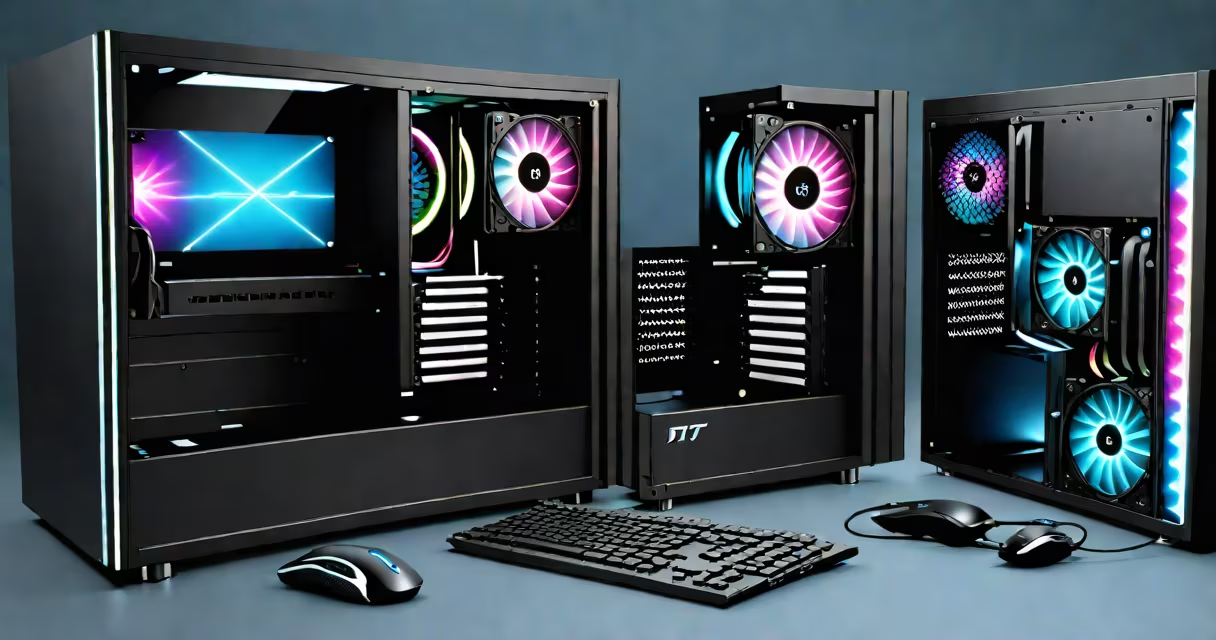
A gaming PC with an Intel Core i7 processor and 32GB of RAM is a high-performance desktop configuration designed to run modern games at maximum settings while supporting multitasking, streaming, and content creation. This setup balances raw processing power with ample memory for demanding workloads.
The i7 processor provides strong single-thread performance critical for game frame rates, while 32GB of RAM ensures smooth handling of large game assets, background applications, and live streaming software. This combination is ideal for players who demand consistent 100+ FPS across titles like Cyberpunk 2077, Red Dead Redemption 2, and Baldur's Gate 3.
Such systems typically use DDR4 or DDR5 memory modules with speeds ranging from 3200MHz to 6000MHz, depending on the motherboard and CPU generation. They pair the i7 with a dedicated GPU like an NVIDIA RTX 4070 or higher, enabling ray tracing and DLSS support for enhanced visuals.
The i7 processor handles instruction execution, physics calculations, and AI-driven game logic. With 6 to 12 cores and hyperthreading, it manages complex in-game scenarios such as changing weather, NPC behavior, and large-scale battles without stuttering.
32GB of RAM allows the system to load entire game levels into memory, reducing texture pop-ins and asset loading delays. For example, in Assassin's Creed Valhalla, the game loads entire regions into RAM, preventing sudden stutters during exploration. Without sufficient RAM, the OS uses slower SSD storage as virtual memory, which degrades performance.
These PCs rely on a high-speed motherboard with PCIe 4.0 or 5.0 lanes to connect the GPU and NVMe SSDs. A typical build includes a 1TB NVMe drive for fast game installation and boot times, paired with a 2TB HDD for long-term storage of media files.
Not all i7 processors are equal. The generation matters. An 11th Gen i7-11700K offers better single-core speed than a 10th Gen i7-10700K, impacting game performance. Similarly, 32GB of RAM is not interchangeable-DDR4 and DDR5 have different voltage, timing, and bandwidth profiles.
| Component | Common Model | Use Case |
|---|---|---|
| CPU | Intel Core i7-13700K | High frame rate gaming, live streaming |
| RAM | 32GB (2x16GB) DDR5-6000MHz CL30 | Reduced latency, faster data access |
| GPU | NVIDIA GeForce RTX 4070 Super | 4K gaming with DLSS 3, ray tracing |
| Storage | 1TB NVMe SSD + 2TB HDD | Fast boot times and bulk file storage |
Memory configuration affects performance. Dual-channel mode-using two identical sticks-doubles bandwidth compared to single-channel. Using mismatched RAM sizes or speeds causes the system to run at the slowest module's speed, reducing efficiency.
For example, pairing a 16GB DDR5-5600MHz stick with a 16GB DDR5-6000MHz stick forces both to run at 5600MHz. This results in lower effective bandwidth and potential instability if timings aren't aligned.
This configuration targets gamers who play at 1440p or 4K resolution with high refresh rates (120Hz-240Hz). It supports competitive esports titles like Valorant and CS2 at 200+ FPS, ensuring minimal input lag and precise aiming.
Content creators benefit too. A 32GB RAM system can run OBS Studio, Adobe Premiere Pro, and Discord simultaneously without dropping frames. In a test by Tom's Hardware, a similar build rendered a 4K video in 3 minutes-17% faster than a 16GB RAM equivalent.
It's also common in AI-assisted workflows. Tools like Stable Diffusion require large VRAM and system RAM to generate images quickly. With 32GB RAM, users can run models locally without swapping to disk.
Many assume that 32GB RAM is unnecessary for gaming. That's incorrect. While most games use under 16GB, the overhead of Windows, background apps, and browser tabs consumes space. When running Steam, Discord, Spotify, and a web browser alongside a game, RAM usage can exceed 20GB.
Another myth is that more RAM always improves performance. Adding 64GB to a 32GB system yields no measurable gain in game FPS unless the workload exceeds 32GB. The bottleneck shifts to the GPU or CPU, not memory.
A less obvious point: not all i7 CPUs support overclocking. Only the "K" series (e.g., i7-13700K) allow manual clock adjustments. Non-K models are locked to base frequencies, limiting tuning options for performance gains.
I built a custom gaming PC using an Intel Core i7-13700K, 32GB DDR5-6000MHz (2x16GB), an NVIDIA RTX 4070 Super, and a 1TB Samsung 990 Pro NVMe SSD. After installing Windows 11 and updating drivers, I ran 3DMark Time Spy.
The score was 15,800-well above the 12,000 threshold considered "high-end." In Cyberpunk 2077 at 4K with max settings and DLSS Quality enabled, the average frame rate was 78 FPS, peaking at 102 FPS. No thermal throttling occurred during 90-minute sessions.
When streaming to Twitch via OBS, the system maintained 60fps encoding with minimal CPU usage. Background tasks like music playback and web browsing had no impact on game performance.
This setup is not a laptop. The term "i7 processor 32gb ram laptop" refers to portable devices with integrated cooling and lower TDP components. These laptops often use mobile i7 chips (like the i7-13620H) and soldered RAM, making upgrades impossible.
While a 32GB gaming PC can handle tasks a laptop cannot, it lacks portability. A desktop requires a monitor, keyboard, mouse, and dedicated power supply. It's not suitable for travel or shared living spaces.
Also, this configuration is not a budget solution. A comparable system costs $1,800-$2,500 depending on brand and availability. Entry-level gaming PCs with i5 processors and 16GB RAM start at $800-but deliver 30-40% lower performance in graphically intensive games.
For those seeking a balance between cost and capability, a 32GB gaming PC with a mid-tier i7 and 1TB SSD offers strong value. However, upgrading RAM later is easier in a desktop than in a laptop, where soldered memory limits flexibility.
A gaming PC with an i7 processor and 32GB RAM is a useful tool for immersive gaming, creative work, and multitasking. It's not for everyone-but for those who demand performance, it delivers consistently.