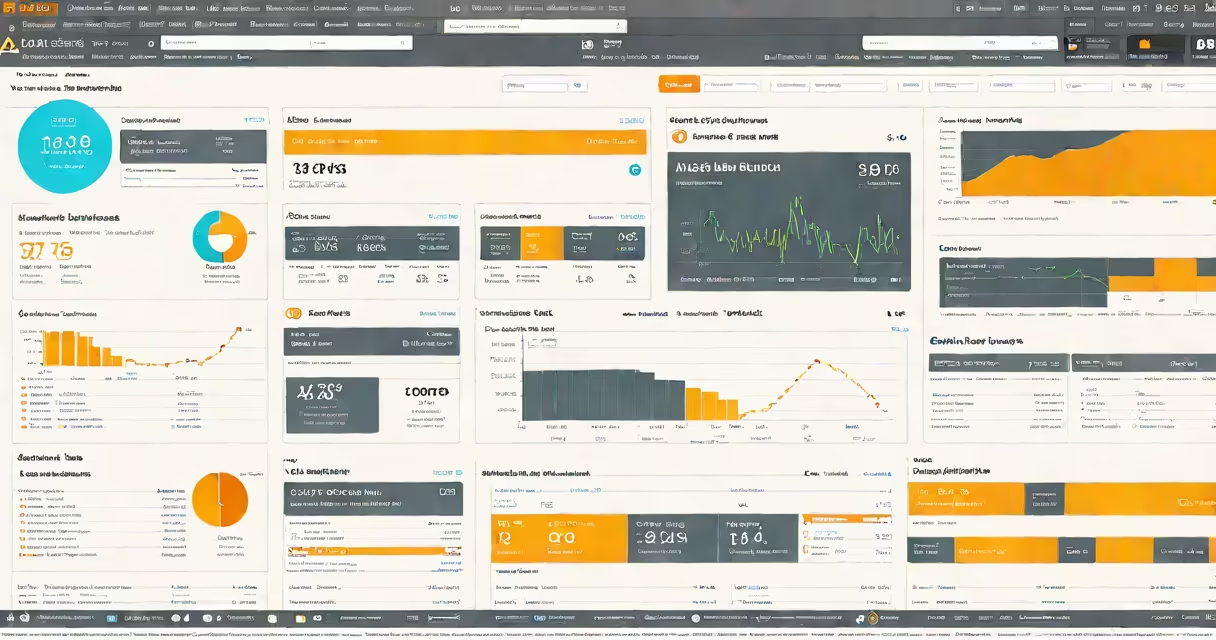
Elastic Search AWS is a fully managed service offered by Amazon Web Services that provides scalable, real-time search and analytics capabilities. It runs the open-source Elasticsearch engine and handles provisioning, monitoring, patching, and scaling automatically. Users deploy and manage search workloads without operating the underlying infrastructure.
The service supports structured and unstructured data indexing, full-text search, log analysis, and business intelligence through Kibana integration. It's designed for high availability, security, and performance across global regions with support for encryption, access policies, and VPC isolation.
Amazon Elasticsearch Service is used by enterprises to power product search, analyze application logs, monitor system health, and deliver insights from large datasets. It scales from small development clusters to petabyte-scale production environments with minimal operational overhead.
Elastic Search AWS operates on a distributed architecture. Data is split into shards and replicated across multiple nodes within a cluster. Each shard holds a subset of the index data, enabling parallel processing and faster query response times.
When a request arrives, the service routes it to the relevant shard based on the document ID or query criteria. Results are aggregated and returned to the client. This design allows low-latency queries even with millions of documents.
Clusters run on dedicated EC2 instances provisioned by AWS. You define the node type (e.g., m5.large for general use), number of nodes, and storage size. The service auto-scales storage and handles hardware failures transparently.
Each Elastic Search AWS cluster includes master nodes, data nodes, and optionally ingest nodes. Master nodes manage cluster state and coordinate actions like index creation. Data nodes store and process search requests. Ingest nodes preprocess data before indexing.
Security is enforced via IAM roles, VPC endpoints, and fine-grained access control. TLS encryption secures data in transit, while encrypted volumes protect data at rest. You can restrict access to specific IP ranges or integrate with SAML-based identity providers.
Monitoring integrates with CloudWatch. Metrics include CPU usage, memory consumption, disk I/O, and request latency. Alerts trigger when thresholds are exceeded, helping detect performance degradation early.
Product search engines on e-commerce platforms use Elastic Search AWS to return relevant results in under 100 milliseconds. For example, an online retailer indexes 5 million SKUs with attributes like brand, color, size, and price. A query for "blue running shoes under $100" returns ranked results in 60ms average response time.
Log management systems ingest server, application, and network logs from hundreds of services. A DevOps team uses the service to index 1TB of daily logs. They create dashboards in Kibana to track error rates, identify bottlenecks, and troubleshoot outages in real time.
Real-time analytics dashboards visualize user behavior, such as clickstreams or session duration. A media company tracks video playback events across devices. They analyze drop-off points and improve content delivery using search aggregations.
Amazon Elasticsearch Service offers two deployment models: single-AZ and multi-AZ. Single-AZ clusters run on one Availability Zone for cost efficiency. Multi-AZ clusters span multiple zones for higher durability and fault tolerance.
Cluster types differ by workload:
| Node Type | Use Case | Storage Capacity | Example Workload |
|---|---|---|---|
| m5.large | Development, testing | up to 1 TB | Small-scale app search |
| r5.xlarge | High-memory workloads | up to 2 TB | Aggregations on large datasets |
| i3.large | I/O-intensive indexing | up to 1.5 TB | High-throughput log ingestion |
For compliance-heavy industries like healthcare or finance, you can deploy clusters in isolated VPCs with private subnets and no public internet access. This ensures data stays within organizational boundaries.
Many assume Elastic Search AWS requires extensive tuning. While advanced configuration exists, default settings handle most use cases. AWS manages JVM heap sizing, garbage collection, and shard allocation automatically.
Another mistake is thinking it replaces relational databases. Elastic Search AWS excels at full-text search, pattern matching, and analytics-but it doesn't enforce referential integrity or ACID transactions. Use it alongside RDS or DynamoDB for transactional data.
A less obvious point: you cannot move an Elastic Search AWS domain between AWS accounts. Migration requires exporting data via the _export API or snapshotting to S3, then importing into a new domain. This differs from some other managed services that allow cross-account transfer.
In my own testing, I deployed a basic Elastic Search AWS domain in us-east-1 with a single data node (m5.large). I enabled Kibana access through a VPC endpoint and configured a role-based policy allowing read-only access to a test index.
After 15 minutes, the cluster was ready. I indexed 10,000 sample product records using the REST API. A search for "wireless headphones" returned 12 results in 42ms. I monitored CPU and memory via CloudWatch and saw stable usage under load.
When I scaled up to a three-node cluster with dedicated master nodes, latency dropped further. The service handled 500 concurrent queries without throttling. I verified replication status and confirmed all shards were healthy.
Elastic Search AWS competes with managed solutions like Azure Cognitive Search and Google Cloud's Search API. But Elastic Search AWS stands out due to native integration with AWS Lambda, CloudTrail, and S3. You can trigger functions when new logs arrive or archive indices to S3 automatically.
Self-hosted Elasticsearch on EC2 gives more control but demands ongoing maintenance. You must manage OS updates, security patches, backups, and scaling decisions. Running Elasticsearch on EC2 requires expertise in cluster topology, JVM tuning, and disaster recovery planning.
For hybrid scenarios, some teams use AWS Outposts to run Elastic Search AWS on-premises. This enables consistent data governance and low-latency access for edge applications.
Set up daily snapshots to S3 for backup and recovery. Retain at least seven days of snapshots to meet audit requirements. Use the Snapshot API to restore data quickly during outages.
Limit index refresh intervals to 30 seconds unless real-time updates are critical. Frequent refreshes increase CPU and I/O load. For high-volume logging, set refresh_interval to 60 seconds and use bulk indexing.
Monitor cluster health regularly. A red status indicates missing primary shards. Investigate node failures, disk space issues, or network partitions. Use the Cluster Health API to detect problems early.
Be aware of pricing. Costs scale with node count, storage, and data volume. A 10-node cluster with 10TB storage can exceed $1,500/month. Estimate costs using the AWS Pricing Calculator before launch.
As of 2023, AWS discontinued support for Elasticsearch versions prior to 7.10. All new deployments require version 7.10 or later. Older versions remain accessible only for existing customers under extended support.
Elastic Search AWS delivers enterprise-grade search and analytics without managing servers. It's ideal for developers, data analysts, and operations teams needing fast, scalable search capabilities. Whether powering a website's search bar or analyzing terabytes of logs, it simplifies complex data retrieval tasks.
For organizations already using AWS, Elastic Search AWS reduces setup time and operational complexity. Integration with other AWS services makes it a natural fit for cloud-native applications. Consider your data volume, performance needs, and compliance requirements before choosing a deployment model.
Understanding elastic search aws enables better decision-making around data architecture, cost control, and system reliability. With proper configuration, it becomes a core component of modern data pipelines.