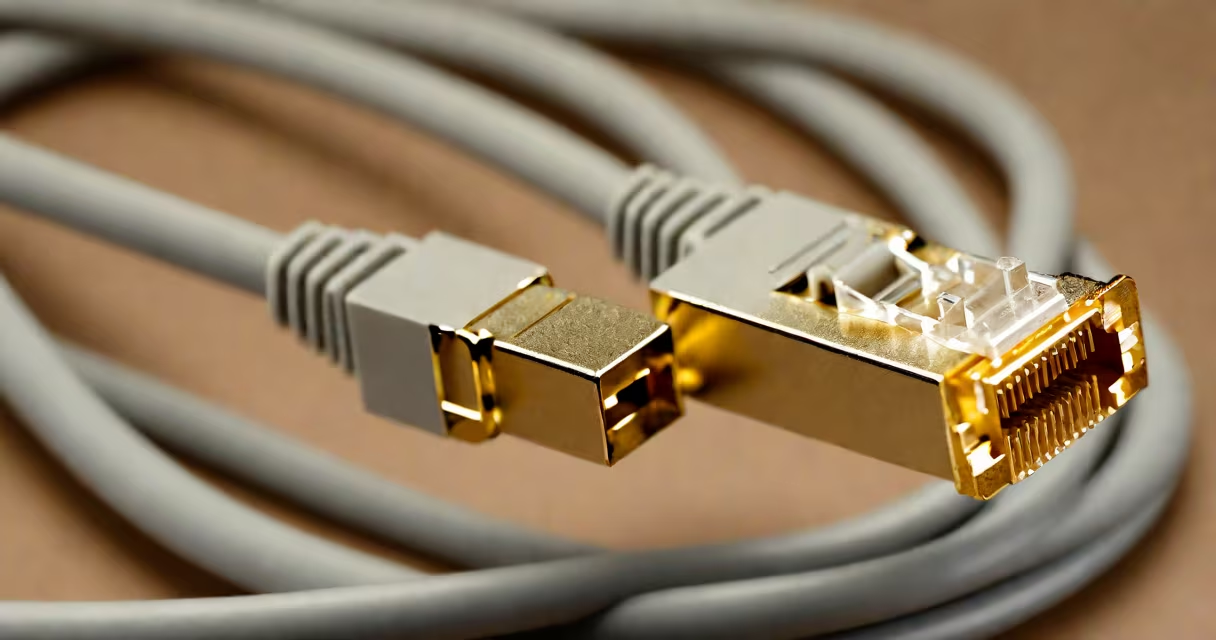
An rj45 cable is a twisted-pair Ethernet cable with an 8P8C modular connector used to connect devices to wired local area networks (LANs). It transmits data between computers, routers, switches, and network-attached storage using standardized wiring schemes like T568A or T568B.
Rj45 cables form the physical layer of wired networking. They carry signals over copper conductors arranged in four pairs, each pair twisted to reduce electromagnetic interference. The connector's eight pins align with specific wire colors and positions, ensuring consistent signal transmission across devices.
These cables support speeds from 10 Mbps up to 10 Gbps, depending on the category rating. Cat5e handles 1 Gbps at 100 meters, while Cat6 supports 10 Gbps over shorter distances. The standardization enables interoperability across brands and devices.
Rj45 cables transmit data using differential signaling across two wires in each of the four pairs. Pair 1 (white/orange and orange) and Pair 2 (white/green and green) handle transmit and receive functions in Ethernet protocols like 100BASE-TX and 1000BASE-T.
The cable's shielding-either unshielded (UTP) or shielded (STP)-affects performance in electrically noisy environments. UTP is common in offices; STP reduces crosstalk in industrial settings. Shielding doesn't eliminate noise entirely but improves signal integrity.
When connected, the device's network interface controller (NIC) sends electrical pulses through the cable. A switch or router interprets these pulses as binary data. The process repeats in reverse for incoming traffic, enabling bidirectional communication.
Cables are classified by category, indicating bandwidth and performance limits. Higher categories support faster speeds and longer runs.
| Category | Max Speed | Use Case | Frequency Range |
|---|---|---|---|
| Cat5e | 1 Gbps | Home networks, basic office setups | 100 MHz |
| Cat6 | 10 Gbps (up to 55 m) | High-speed LANs, data centers | 250 MHz |
| Cat6a | 10 Gbps (up to 100 m) | Long-distance enterprise networks | 500 MHz |
| Cat7 | 10 Gbps | Shielded installations, high-interference zones | 600 MHz |
Not all Cat6 cables meet the full specification. Some labeled "Cat6" are actually Cat5e with better twist rates. True Cat6 requires tighter twists, a spline separator between pairs, and higher-quality insulation.
There are two wiring standards: T568A and T568B. Both define pin-to-wire assignments. T568B is more common in North America. Using mismatched standards on both ends creates a crossover cable, which can cause connectivity issues unless intentional.
Many assume all rj45 cables are interchangeable. This is false. A Cat5e cable may fail under 10 Gbps loads due to insufficient shielding and twist rate. Performance degrades beyond 100 meters, especially with poor termination.
Another myth is that longer cables improve signal strength. In reality, longer runs increase attenuation and delay. For reliable 1 Gbps connections, keep cables under 100 meters. Beyond that, signal loss exceeds acceptable thresholds.
A less obvious error: using a cable with bent or damaged pins. Even minor deformation in the connector's metal contacts can disrupt impedance matching, leading to packet loss or intermittent disconnections. Always inspect the connector before plugging in.
In a small business network, a single Cat6 rj45 cable connects a desktop computer to a managed switch. The switch routes traffic to a firewall and then to the internet via a router. This setup supports video conferencing, file transfers, and VoIP calls without lag.
For example, a company with 20 employees uses Cat6 cables to link workstations to a central switch. Each cable runs 25 meters from desk to wall jack. The network operates at 1 Gbps, handling 50 simultaneous video calls and large file backups. Without proper cable quality, jitter and dropped frames would occur.
I once replaced a Cat5e cable in a server room that caused intermittent outages. After testing, I found the cable had a broken pair due to kinking during installation. Replacing it with a certified Cat6 cable resolved the issue. The fix took 15 minutes but prevented hours of downtime.
Proper termination ensures signal integrity. Crimping tools compress the connector's contacts onto the correct wire pairs. Incorrect crimping causes open circuits or shorts. Always verify with a cable tester before deployment.
For troubleshooting, use a network cable tester. It checks continuity, wire mapping, and signal loss. A blinking red light indicates a miswired pair. A steady green light confirms correct pairing and low resistance.
When connecting, insert the cable until the latch clicks. Pulling too hard can damage the internal pins. Always disconnect by pressing the release tab and pulling the connector straight out.
To maintain performance, avoid running rj45 cables near power lines, fluorescent lights, or motors. Electromagnetic interference from these sources induces noise, increasing bit error rates. Keep cables separated by at least 30 cm or use shielded variants.
For permanent installations, label both ends. Use color-coded tags or printed labels to identify purpose (e.g., "Server - Switch 1"). This simplifies maintenance and reduces errors during repairs.
Rj45 cables differ from USB, HDMI, and fiber optic cables. Rj45 uses copper conductors and operates at lower voltages. Fiber optics use light pulses and support longer distances and higher bandwidths but require specialized equipment.
Also, rj45 connectors are not interchangeable with RJ11 (telephone) or RJ48 (T1 lines). Although they share the 8P8C form factor, pinouts and voltage levels differ. Plugging an rj45 cable into a phone jack causes no damage but results in no network connection.
Finally, rj45 cables are not inherently secure. Data travels in plaintext unless encrypted at higher layers. Use VLANs, firewalls, and WPA3 on wireless access points to protect transmitted data.
Understanding how a rj45 cable functions helps prevent common failures. Whether setting up a home office or managing a corporate network, selecting the right cable type and ensuring proper installation prevents downtime and maintains performance.