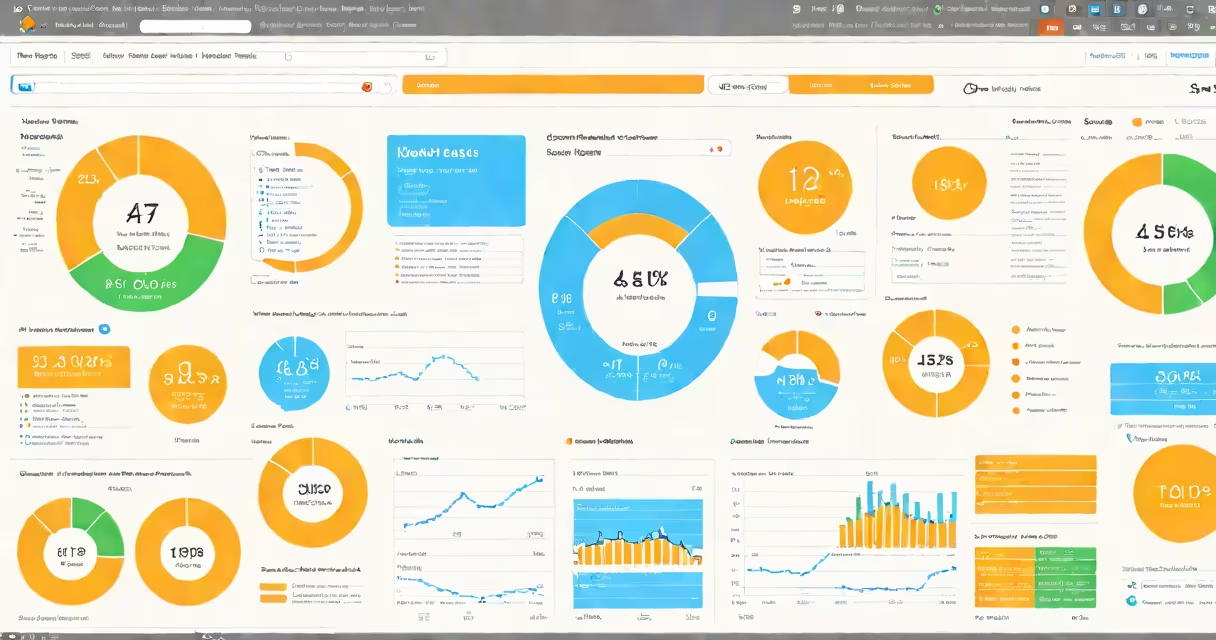
Learn Google Analytics to track website visitors, measure user behavior, and analyze conversion performance using real-time data and customizable reports. It's a free web analytics service offered by Google that collects and processes data from websites and apps.
Google Analytics operates by embedding a JavaScript snippet-known as the tracking pixel-on each page of a website. This code runs in a visitor's browser and sends anonymized data to Google's servers. Data includes page views, session duration, device type, geographic location, referral sources, and actions like button clicks or form submissions. The collected data appears in dashboards accessible through a Google account.
For example, a small e-commerce site selling handmade candles uses the google analytics tracking pixel on its product pages. After one week, the dashboard shows that 62% of traffic comes from social media, with most users viewing only one page. This insight leads the owner to adjust ad targeting and improve landing page design to reduce bounce rate.
When a user visits a webpage with the Google Analytics tracking code, their browser sends a request to Google's servers. This request includes information such as the URL visited, the referring site, screen resolution, browser type, and timestamp. Google then stores this data in a database tied to a unique client ID assigned to the user's device.
Data processing happens in batches, typically within 24 hours. Once processed, it becomes available in reports. Real-time reports show activity as it happens-up to 30 minutes behind. Historical data is stored indefinitely unless deleted manually or via automated retention policies.
Advanced features include event tracking, goals, and custom dimensions. For instance, setting up a goal to track completed purchases allows businesses to calculate conversion rates. Event tracking can record video plays, file downloads, or scroll depth, providing deeper insights into engagement.
Google Analytics offers two main versions: Universal Analytics (UA) and Google Analytics 4 (GA4). UA uses a session-based model and relies on cookies. GA4 uses an event-based model and supports cross-platform tracking across websites and mobile apps.
| Feature | Universal Analytics (UA) | Google Analytics 4 (GA4) |
|---|---|---|
| Tracking Model | Session-based | Event-based |
| Reporting Focus | Pageviews, sessions, bounce rate | User engagement, events, conversions |
| Device Tracking | Limited to single device | Tracks users across devices using user ID |
| Privacy Controls | Cookie consent required | Enhanced data controls, server-side tagging support |
GA4 is the current standard. Google announced the deprecation of Universal Analytics in July 2023, meaning new properties must use GA4. Existing UA properties continue to collect data but will stop processing new data after June 2024.
A common mistake is assuming GA4 reports work like older versions. For example, the "Audience" report in GA4 focuses on user lifetime value and engagement time rather than pageview counts. Misinterpreting these differences can lead to flawed conclusions about traffic quality.
Marketers, web developers, and business owners use learn Google Analytics to assess campaign effectiveness, improve user journeys, and identify drop-off points in sales funnels. A nonprofit running a donation drive used GA4 to discover that 78% of users who viewed the donation page left without clicking. They redesigned the page with clearer CTAs and reduced friction-resulting in a 32% increase in donations over two months.
Content creators rely on GA4 to understand which blog posts attract returning readers. One travel blogger noticed that articles with embedded videos had a 40% longer average session duration. They began including more video content, which increased site engagement and ad revenue.
Businesses also use GA4 for customer segmentation. By creating audiences based on behavior-such as users who viewed pricing but didn't sign up-companies can send targeted email campaigns through integrations with tools like Mailchimp or HubSpot.
Many assume that learn Google Analytics means setting up a property and waiting for results. In reality, proper implementation requires defining goals, configuring filters, and validating data accuracy. Without validation, data may be skewed by bot traffic or incorrect settings.
Another misconception is that GA4 replaces all previous reporting methods. It doesn't. While GA4 provides richer behavioral data, some legacy reports-like "Landing Pages" or "Top Exit Pages"-are still useful for quick diagnostics. Users should compare both systems during migration.
One non-obvious fact: GA4 automatically tracks certain events without configuration. For example, page views, outbound clicks, and video engagement are tracked by default. But form submissions and button clicks require explicit event setup. Failing to set these up leads to missing conversion data.
I once helped a local gym set up GA4. Their initial report showed low traffic. After auditing the tracking pixel, we found it was blocked by a popular ad blocker. We switched to server-side tagging and saw a 45% increase in accurate data collection. This confirmed that tracking reliability depends on technical implementation, not just setup.
Using learn Google Analytics requires compliance with data protection laws like GDPR and CCPA. Personal data-including IP addresses, device IDs, and cookie identifiers-must be handled carefully. Google recommends enabling IP anonymization and obtaining user consent before collecting data.
For example, a U.S.-based fitness app using GA4 for user behavior analysis disabled raw IP logging and set data retention to 14 months. These measures align with GDPR standards and reduce risk during audits.
To begin learning Google Analytics, create a Google account and access the Google Analytics platform at analytics.google.com. Set up a new property, choose "Web" or "App," and enter your website URL. Copy the measurement ID and paste the tracking code into the <head> section of every page.
After deployment, verify data flow using the DebugView tool in GA4. Test by visiting your site and checking the real-time report. If you see a new user appear, the tracking is working.
Next, define at least one goal-such as completing a contact form or making a purchase. Use the "Configure" menu to set up events and audiences. Explore the "Reports" tab to view traffic sources, user demographics, and behavior flow diagrams.
Continue learning through Google's official training portal, which offers free courses on GA4 fundamentals, advanced reporting, and integration with other tools. Completing these modules earns certificates recognized in digital marketing roles.
Understanding learn Google Analytics isn't about mastering every feature. It's about knowing which metrics matter for your goals and how to act on them. optimizing a landing page, the insights from Google Analytics turn guesses into decisions backed by data.